

Learning Paths
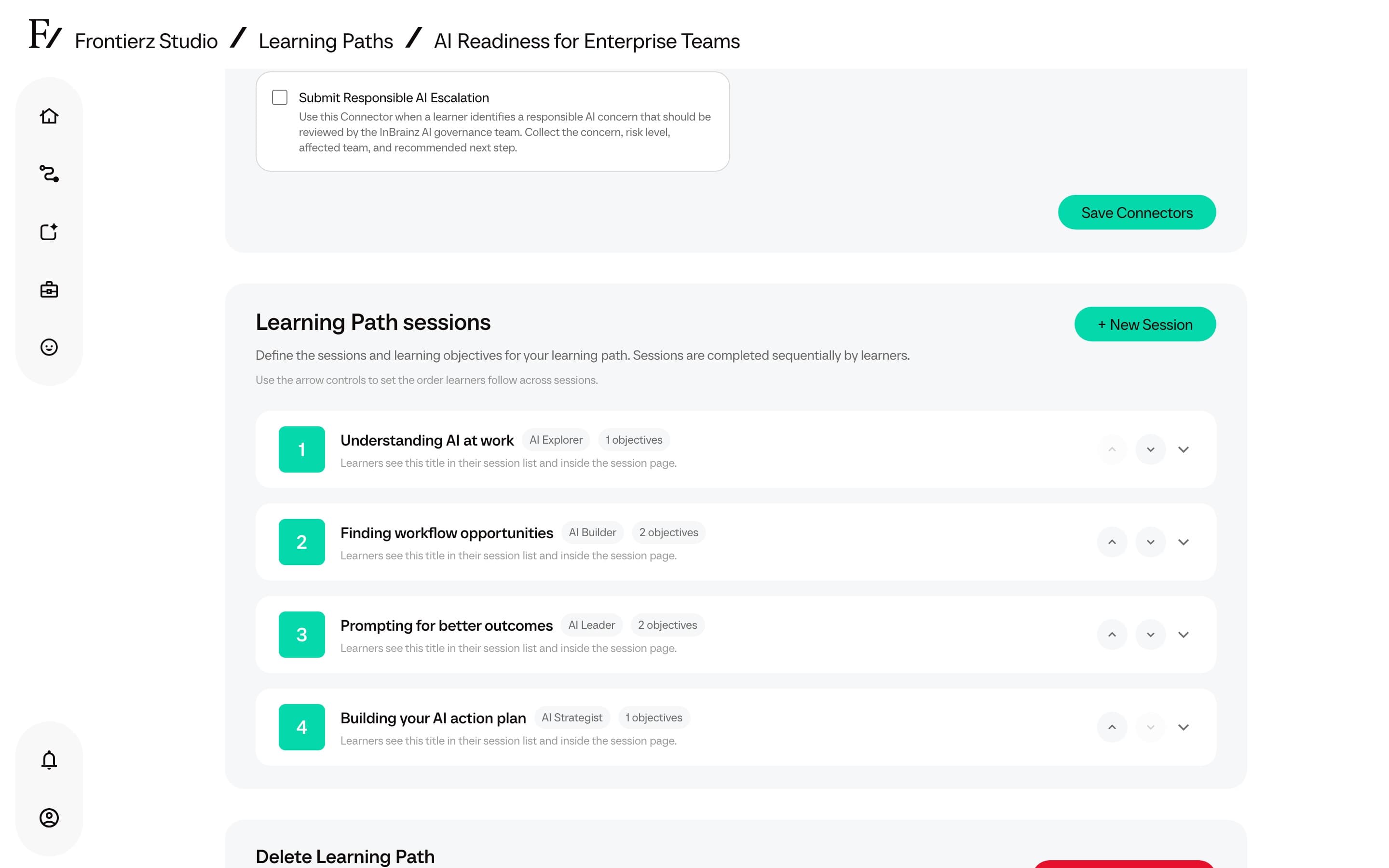
A Learning Path is a structured program composed of sessions completed by users in a defined sequence. Each session has its own objectives. An AI Fellow runs the session as a live voice conversation, and the next session unlocks once the AI Fellow confirms that the user has met the current session's objectives.
Use a Learning Path when:
- Onboarding new hires through a guided sequence.
- Rolling out an AI-adoption or compliance program that requires clear progress tracking.
- Measurable outcomes per topic are required, rather than a video library that may only be skimmed.
When to use
Use a Learning Path when the order of sessions matters. It is the recommended option for new-hire onboarding, AI literacy or adoption programs, regulatory training, manager development, customer training, or any program where progress tracking across a cohort is required.
For a single coaching tool, simulation, or public demo, a standalone AI Fellow is generally sufficient.
Setup process
Start with Create a Learning Path. The New Learning Path modal offers Start from scratch, Build with AI, or Import. Import accepts a SCORM package or a Frontierz Learning Path file. After creation, use Edit a Learning Path to modify sessions, objectives, general info, and Connectors.
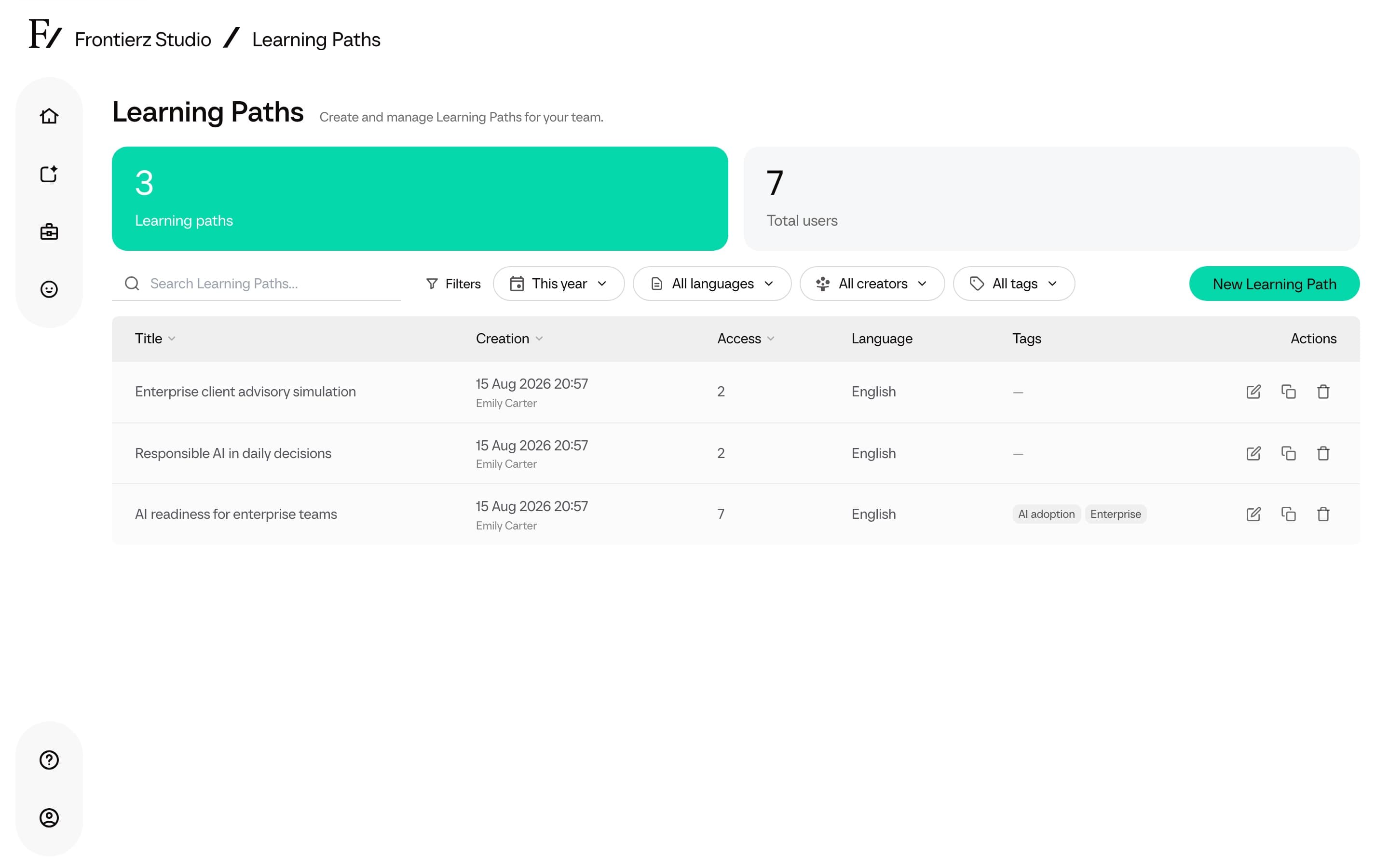
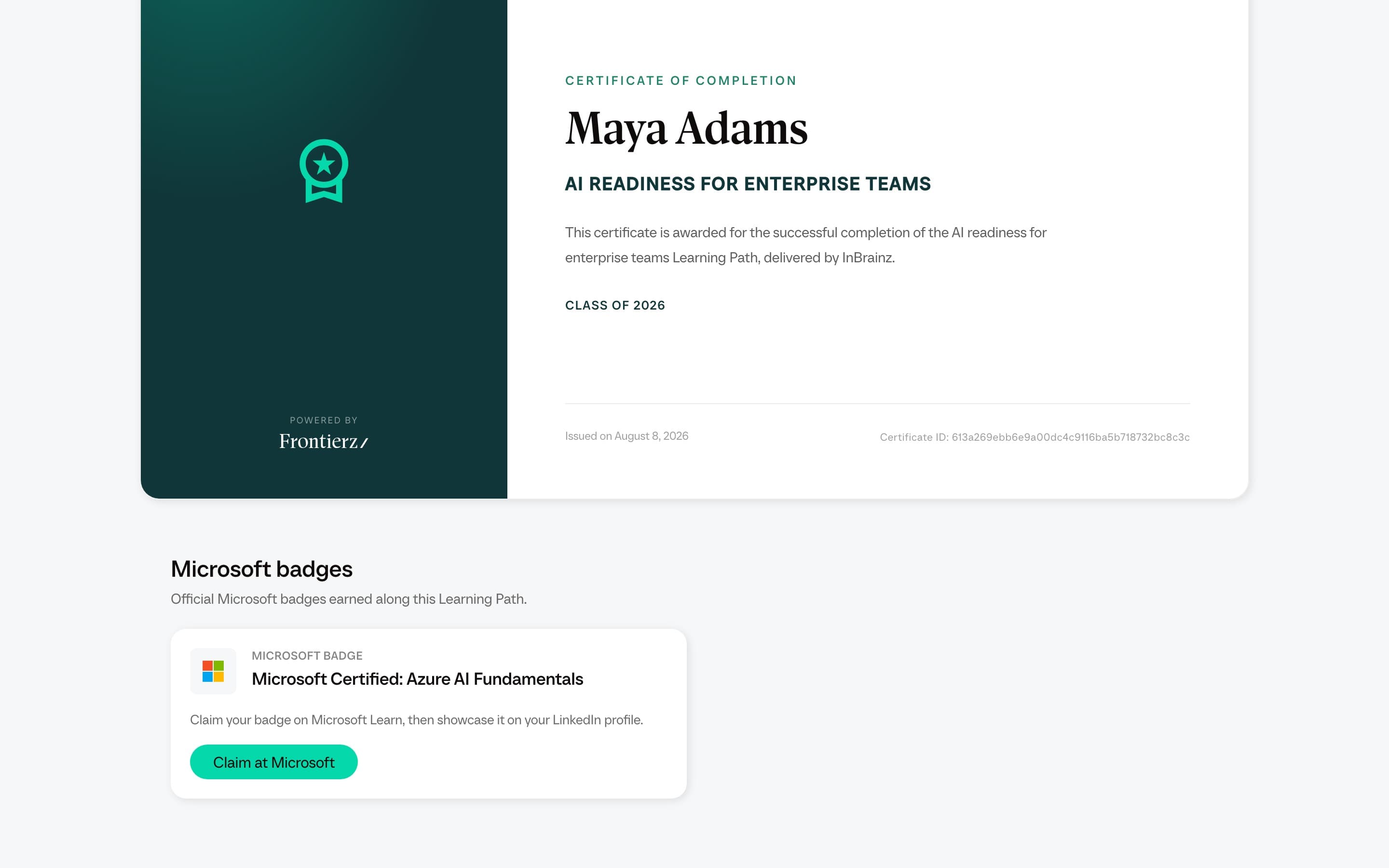
The core configuration is performed in Sessions and objectives, where an existing AI Simulation can also be placed between sessions as a role-play step. An existing SCORM package can be imported as a complete Learning Path or added as a session in the editor. A Frontierz file can recreate an authored path, including Fellow Sessions and AI Simulations. From there, use Manage Users to enroll users, import CSVs, export data, clear progress, or remove access. Connectors can also be enabled to add capabilities such as screen sharing or Schedule Next Session, and Learning Path knowledge files give the AI Fellow the source documents behind the program. Learning Path communications on Settings turns follow-up emails and the Monday digest on or off.
Functional overview
Sequential sessions distinguish a training program from a content library.
- A user cannot skip foundational sessions and jump to a more advanced one.
- Each session can assume the competencies built in the previous ones.
- Progress data tracks where users are, not what they have clicked through.
For a non-sequential content library where users select what to read, a single AI Fellow with a broad Knowledge Base is recommended instead. Use a Learning Path when sequencing matters.
Each session holds a set of objectives, defined as the observable actions a user must demonstrate during the conversation. The AI Fellow checks them off as the conversation progresses. There are no multiple-choice quizzes in this process. Assessment happens through the conversation itself.
In addition to objective verification, a session can collect structured data during the conversation, such as department, role, current tools, goals, and key challenges. The AI Fellow asks, the user answers naturally, and the data is recorded in the analytics dashboard alongside progress data.
Completion certificate
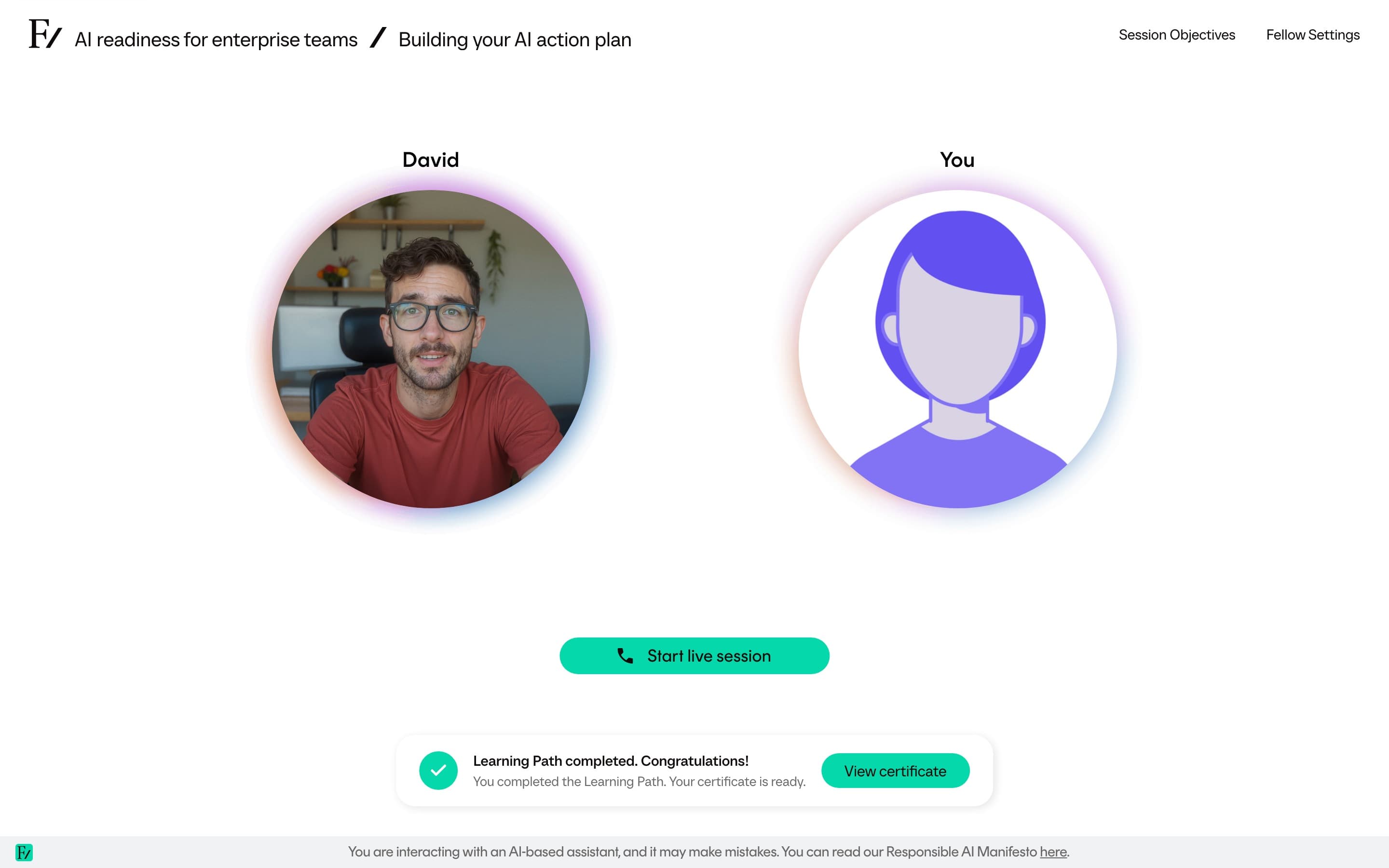
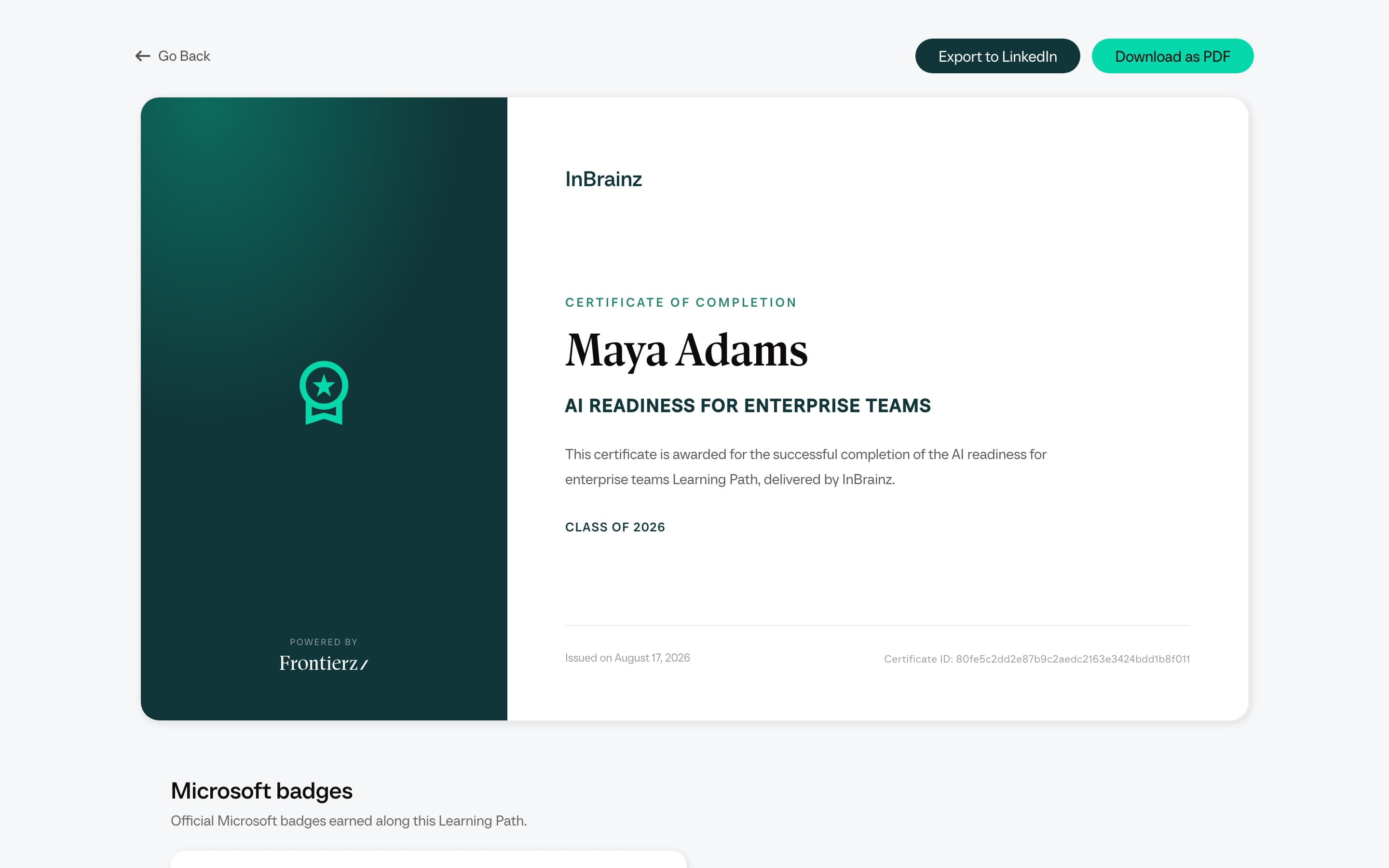
When a user completes every step in a Learning Path, Frontierz issues them a completion certificate. A Certificate card appears at the end of their Journey, and the certificate shows the user's name, the Learning Path name, the company as the issuer with its logo, and the completion date. Users can export it to LinkedIn or download it as a PDF. No setup is required; the certificate is generated automatically from the company profile and the Learning Path.
Some Learning Paths can also award a Microsoft credential alongside the certificate. When that is set up for a path, the certificate page shows a Microsoft badges section with a link the user can follow to redeem the credential on Microsoft Learn. This is configured by the Founderz team on request; contact your Founderz representative to add a Microsoft badge to a Learning Path.
Limitations and considerations
AI Fellow assessments are intended to support learning, coaching, and competency visibility. They are not suitable as the sole basis for decisions affecting employment, certification, compliance status, or legal liability, unless the Learning Path has been explicitly configured, validated, and approved for such use, with human review in place.
Assessment data should be treated as an indicator that may justify a follow-up review. Decisions with real-world consequences must be reviewed by a human reviewer.
Monitoring and optimization
Use Analytics to review adoption, per-session progress, conversation volume, transcripts, and User Insights. The same dashboard can generate a Learning Path report that summarizes progress, objective completion, and representative Fellow assessments for the whole path. Completed reports can be printed or saved as PDF. Open a user from Manage Users to review their session breakdown, update incomplete objectives, or reset their progress. For the older operational page, Manage users covers the single-user enrollment and removal flow.