

Import a SCORM package
A SCORM package is a self-contained e-learning module exported from an authoring tool such as Articulate or iSpring. Frontierz can import one and turn it into a Learning Path step that users open from Your Journey. The original package is kept as-is and tracked for completion.
Supported packages
- SCORM 1.2 and SCORM 2004 (all editions).
- AICC, xAPI (Tin Can), and cmi5 are not supported.
- The maximum upload size is large enough for packages with embedded video. Very large files upload in the background.
Import as a new Learning Path
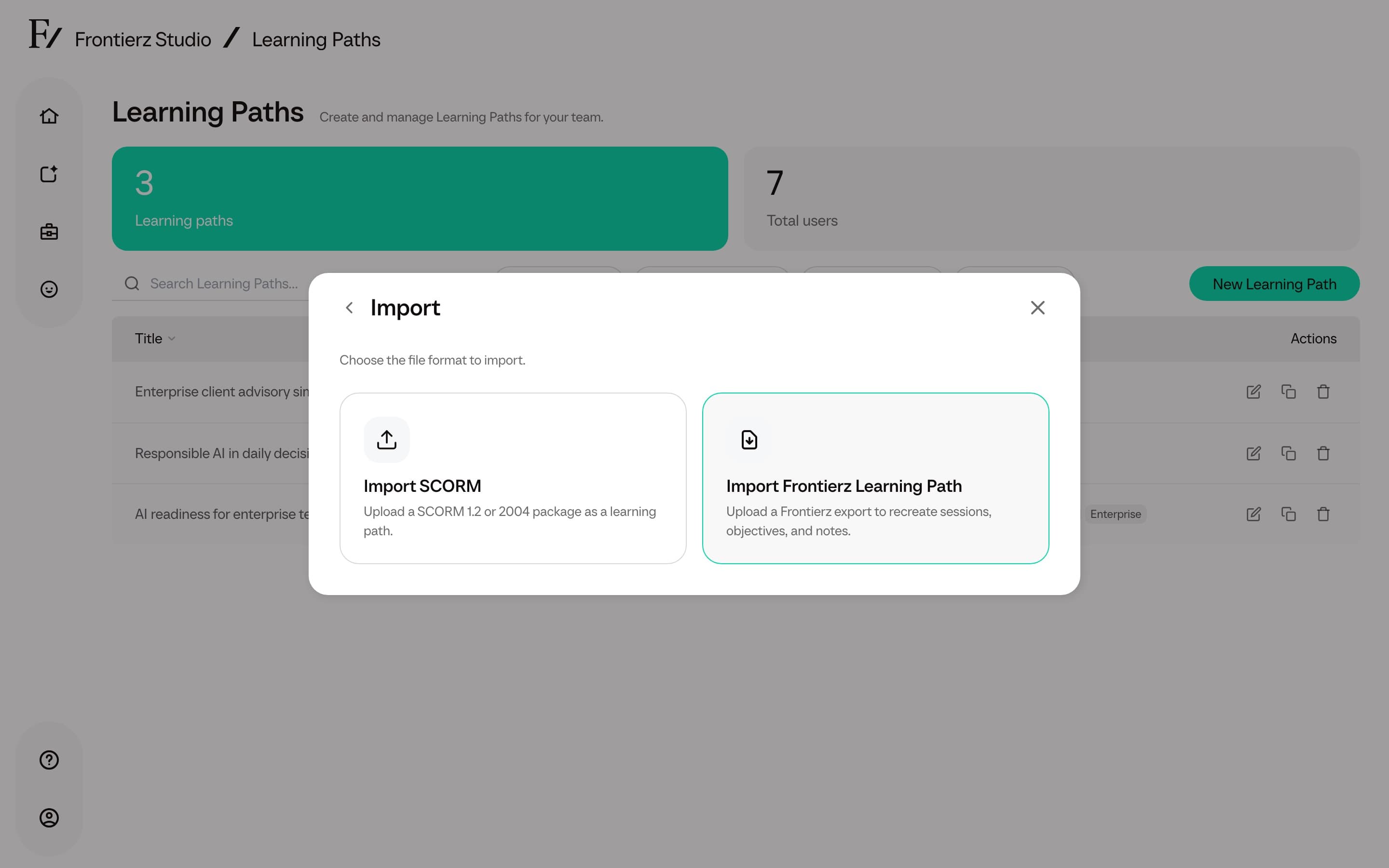
Choose Import, then Import SCORM.
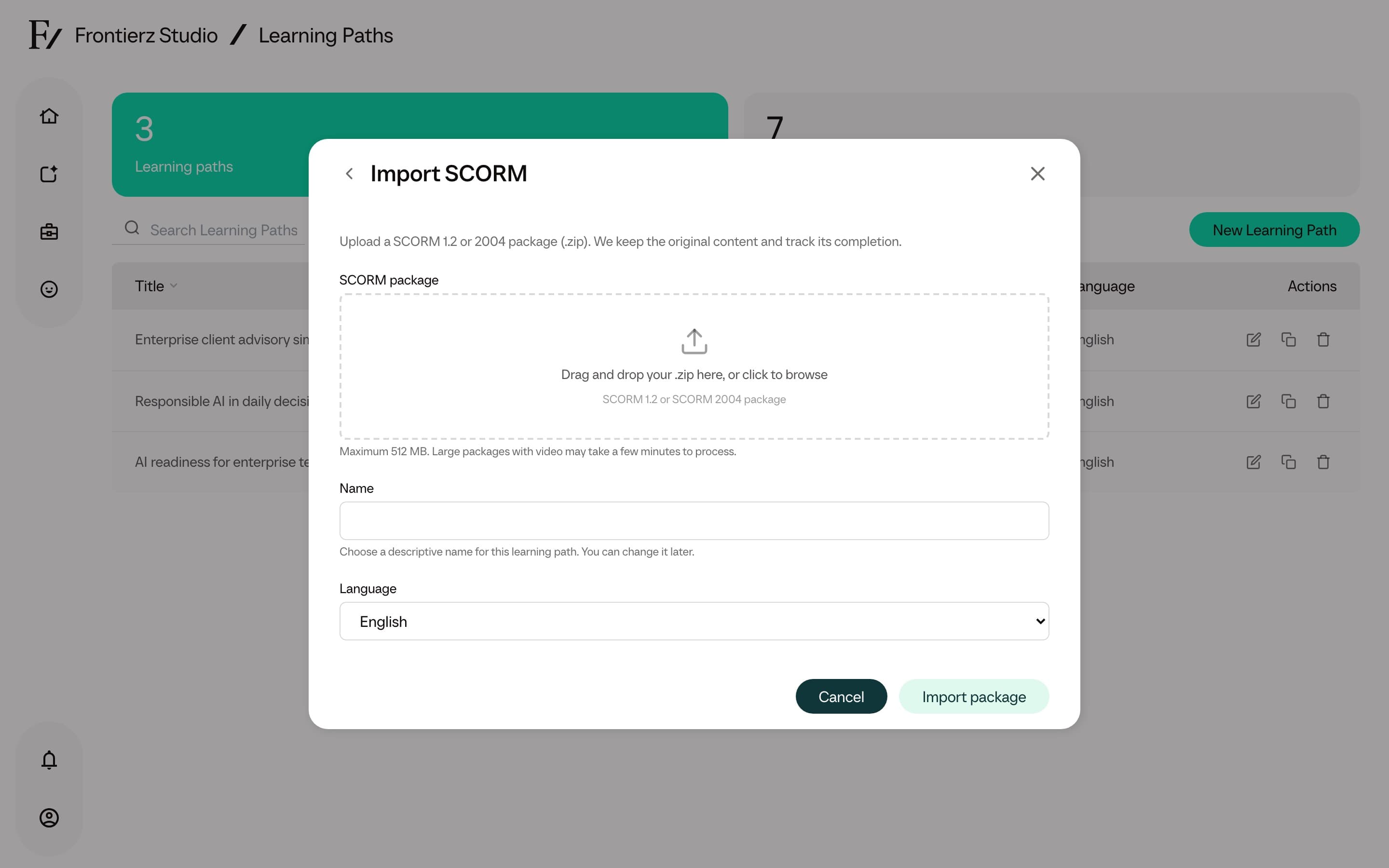
Select the SCORM .zip package. The upload runs in chunks, so large
files are supported. The page can be left open while it processes.
When processing finishes, the new Learning Path opens in the editor with the SCORM content as its session.
Add SCORM to an existing Learning Path
In the Sessions area, click Import SCORM next to Add New Session and Add AI Simulation.
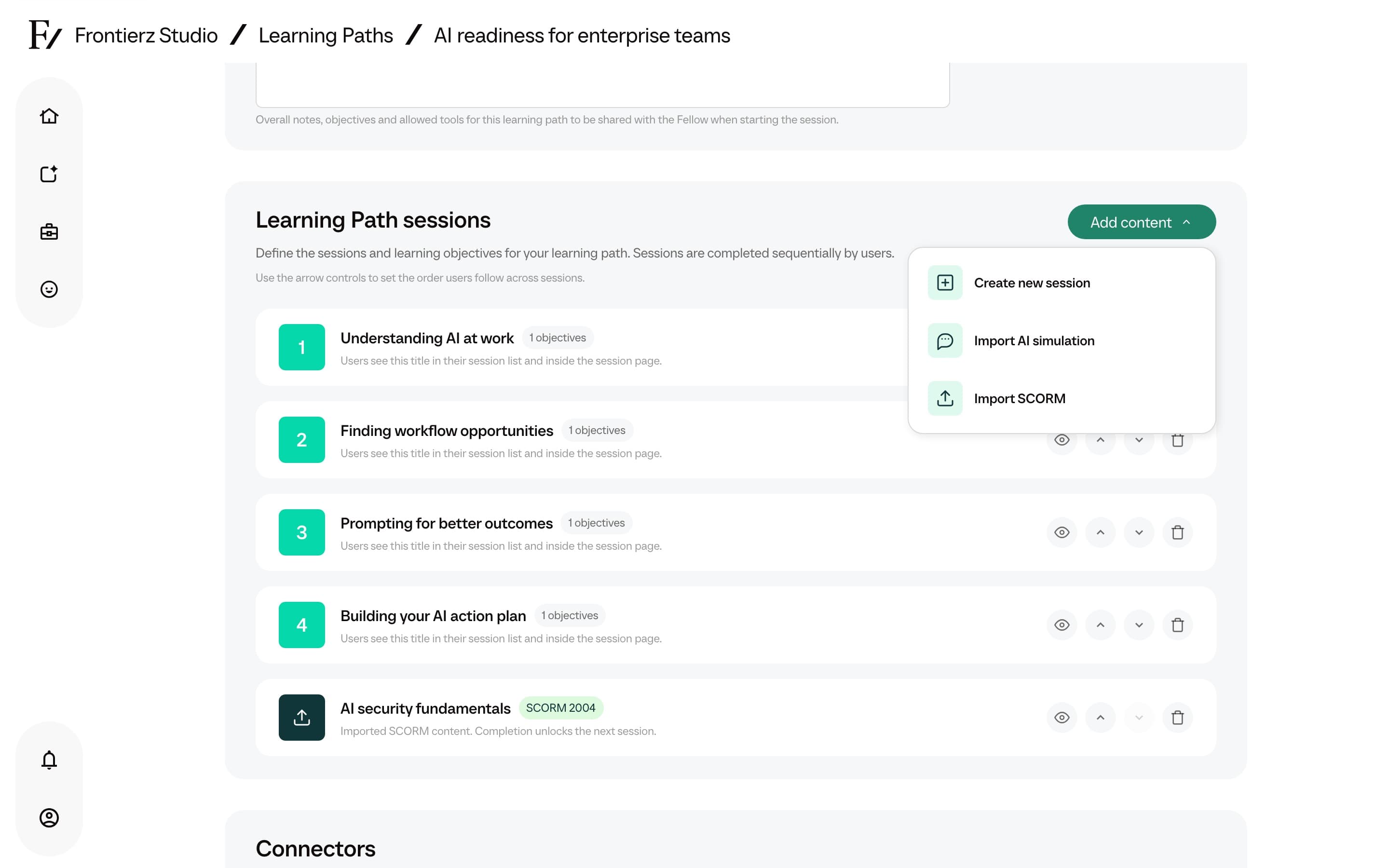
Select the package. It is added as a new session at the end of the sequence and can be reordered with the arrow controls. Click Save.
Adding a SCORM session to an existing Learning Path does not change the path's other sessions or its objectives.
How users experience it
A SCORM step joins the same ordered sequence as the other steps. It unlocks when the previous step is complete, and the next step stays locked until the package reports completion. The user opens the step, works through the content, and when the package marks itself complete, a Complete lesson button returns them to Your Journey with the next step unlocked.
One package becomes one Learning Path session. The SCORM content runs unchanged inside Frontierz, so its own navigation, quizzes, and completion rules still apply. Progress and the resume point are saved per user.
To move an authored Frontierz path (Fellow Sessions, objectives, and notes) rather than a SCORM zip, use Import a Frontierz Learning Path.