

Import a Frontierz Learning Path
A Frontierz Learning Path file is an export from Studio
(.frontierz.json). Use it to recreate Fellow Sessions, objectives,
session notes, tags, knowledge text, and AI Simulations in this workspace
or another one. SCORM sessions and custom Connectors are not included.
This is the format for authored Frontierz paths. Use Import a SCORM package for SCORM 1.2 or 2004 zip files.
What is included
| Included | Not included |
|---|---|
| Name, language, and tags | Enrollments, progress, and reports |
| Global objectives and session notes | Custom Connector attachments |
| Fellow Sessions, badges, info screens, and objectives | Original knowledge file binaries (text only) |
| Path and session knowledge text | SCORM sessions (listed in import notes) |
| AI Simulations (a new AI Fellow is created on import) | Internal IDs from the source workspace |
| Communications on/off and Weekly or Intensive pace | When emails were last turned on |
The upload dialog shows the file size limit. Import also enforces the session and objective caps shown if the file is too large.
Import a file
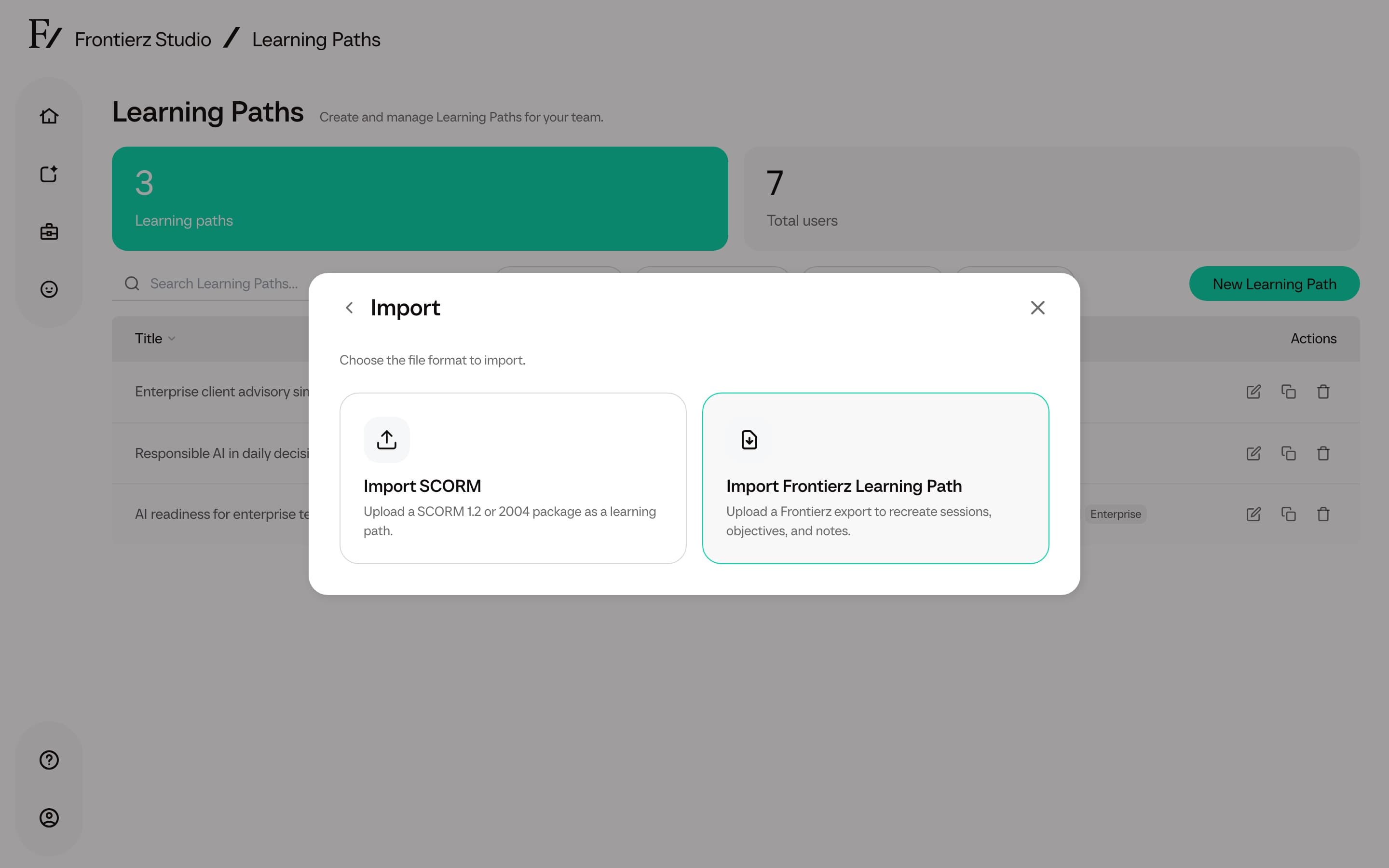
Choose Import, then Import Frontierz Learning Path.
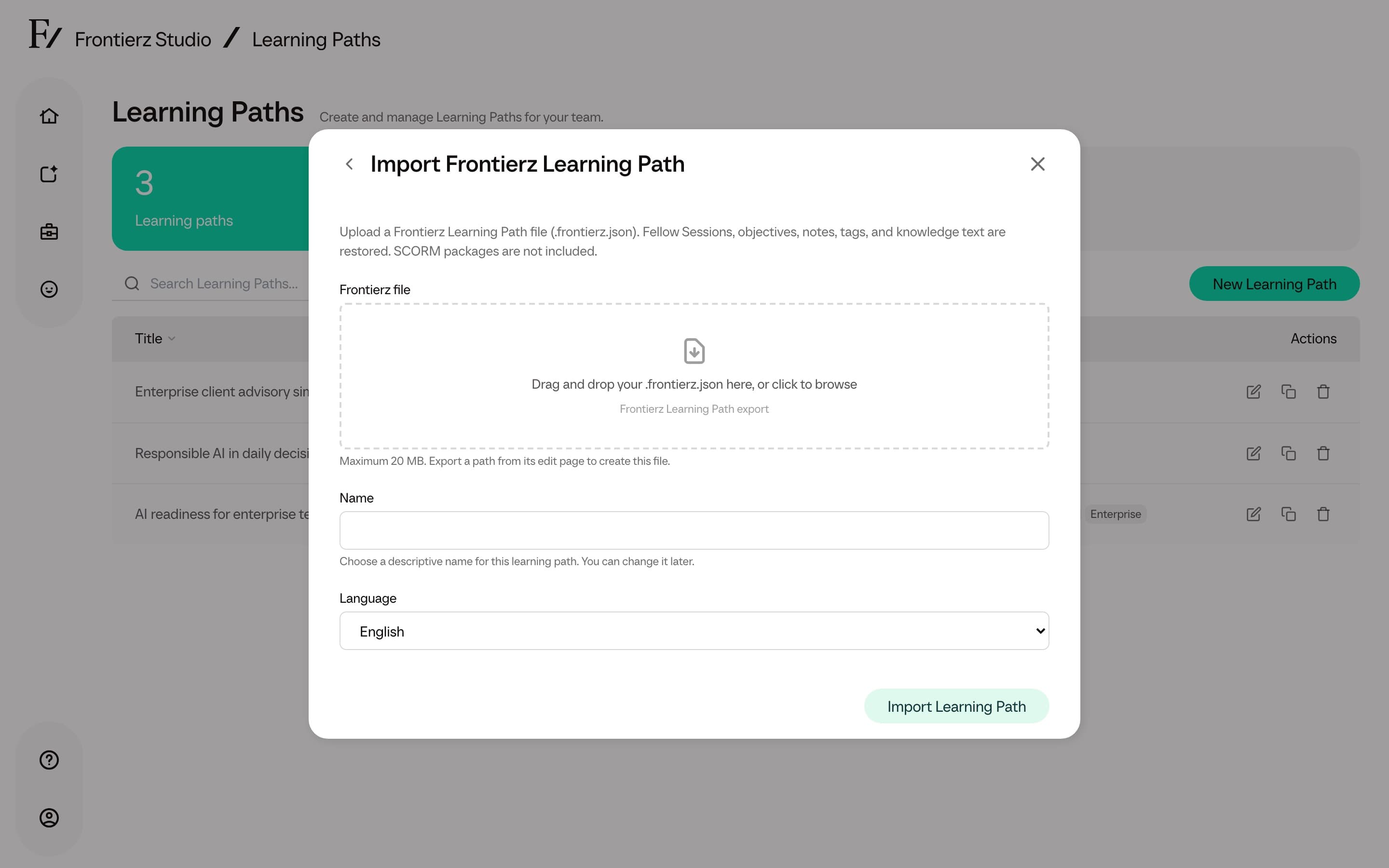
Drag a .frontierz.json file onto the drop zone, or click to browse.
You can change the name and language before importing.
Click Import Learning Path. If Studio changed anything during import, it lists those notes, then opens the editor.
Typical notes include a skipped SCORM session, a tag or knowledge file that exceeded the path limit, or an AI Simulation that used a substitute avatar.
Export a file
Open Actions and choose Export.
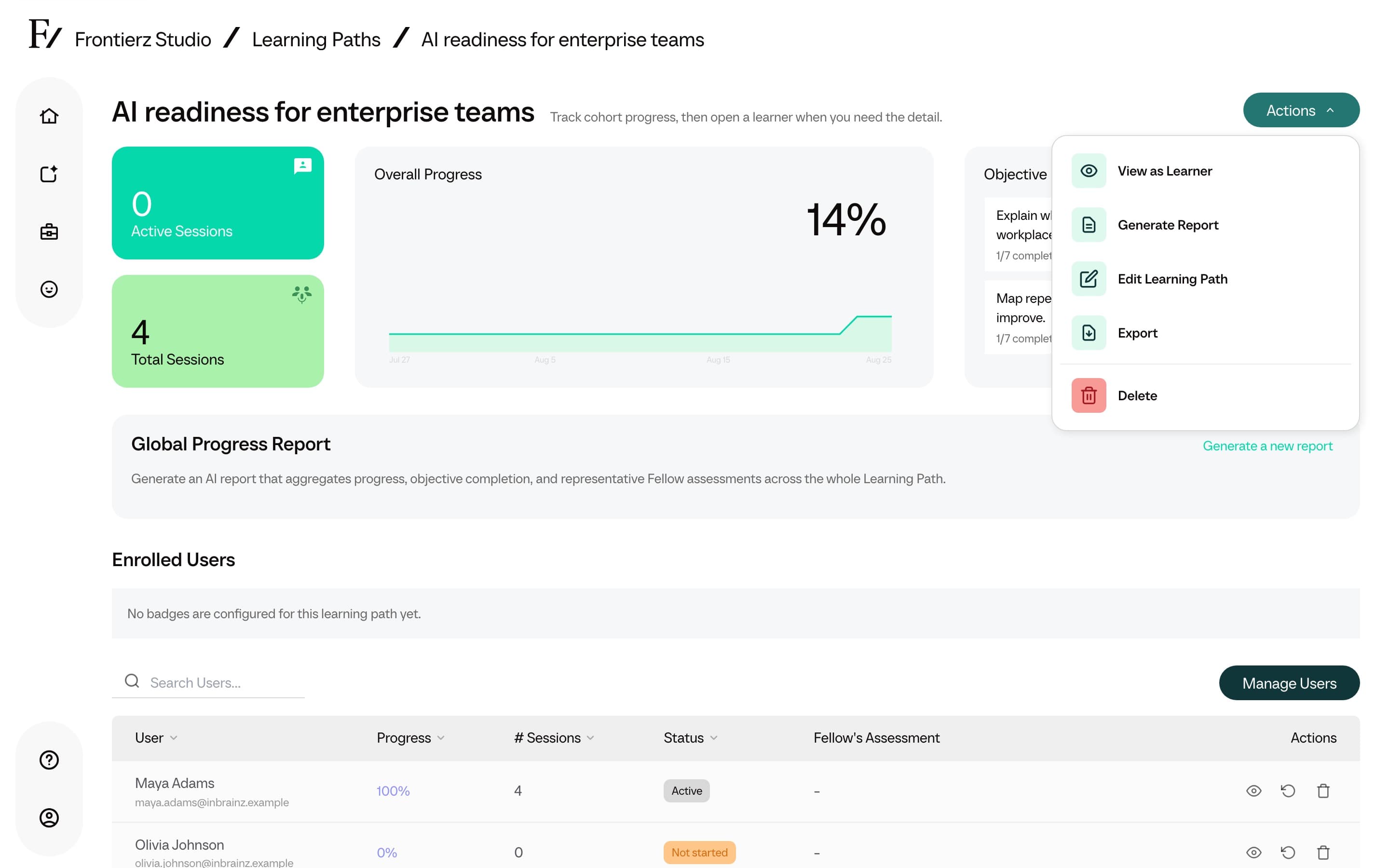
The menu closes and a toast confirms the download. The file name ends
with .frontierz.json.
Assigned Managers can export a path they manage. Creating a path from an imported file requires permission to create Learning Paths (Full Admins and Owners).
Export does not include learner progress. Export user progress separately from Manage Users with Export Data.