

Learning Path knowledge
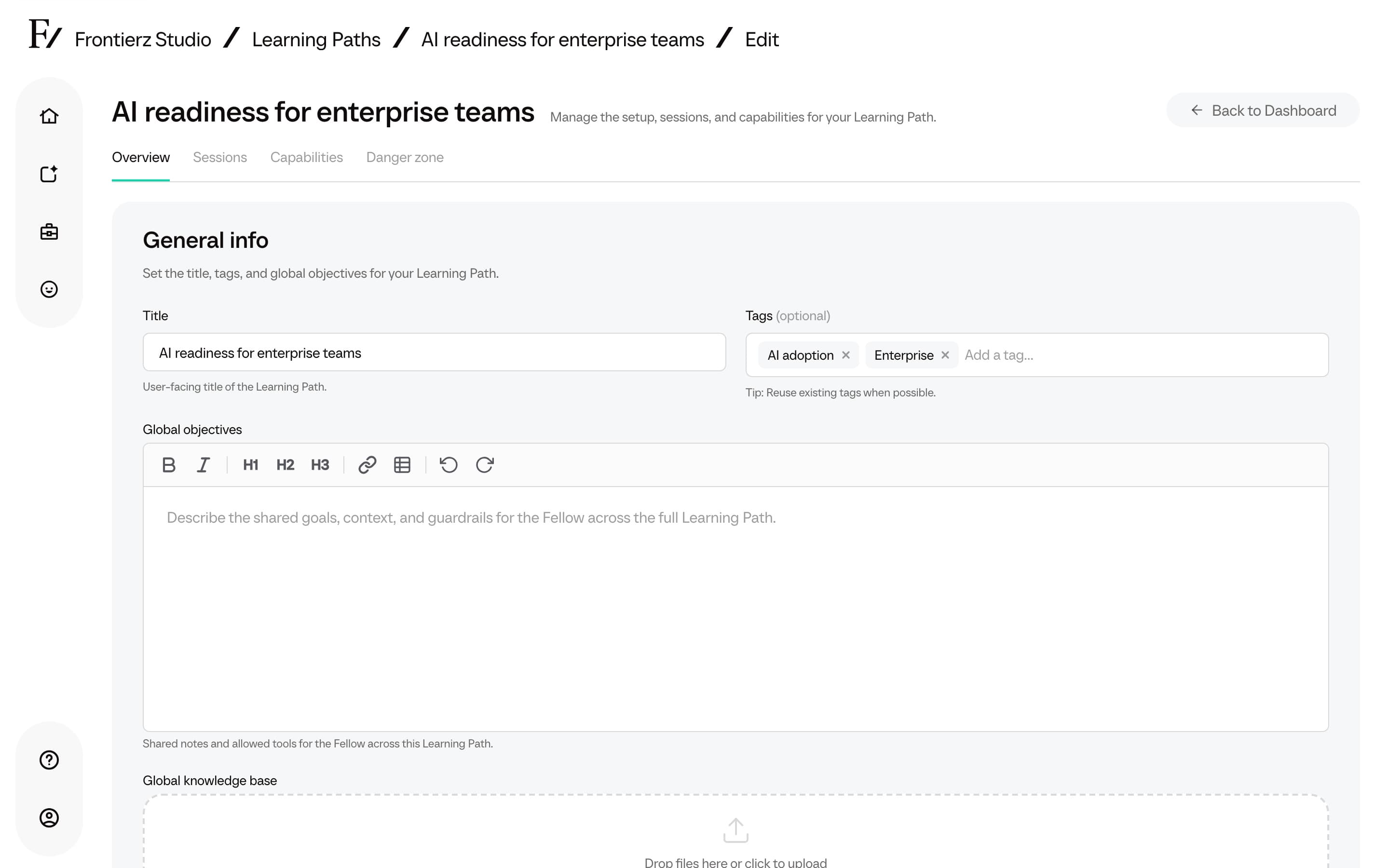
A Learning Path can carry its own reference material. The AI Fellow that runs the sessions sees a catalog of those files (filename plus a short description) and reads a file when the conversation needs it. Users do not see the files. Use this for the source documents behind a program: a policy, a product brief, a set of guidelines, or a short recording that frames the topic.
There are two scopes, both managed from the Learning Path editor:
- Global knowledge base applies to every session in the Learning Path. Up to 20 files.
- Session knowledge base applies only to the session it is attached to. Up to 2 files per session.
The Fellow can list path knowledge in every session. Session knowledge is available only while the user is in that specific session. File contents are not loaded at the start of the session. The Fellow opens a file on demand.
How it differs from an AI Fellow Knowledge Base
The AI Fellow Knowledge Base belongs to a standalone AI Fellow and travels with it wherever that AI Fellow is used. Learning Path knowledge belongs to the Learning Path itself and only shapes the sessions in that path. A Learning Path runs on its own AI Fellow, so the two do not overlap: use path or session knowledge for material specific to a program, and an AI Fellow Knowledge Base for a reusable reference AI Fellow.
Supported file formats
- Word (
.docx,.doc) - PowerPoint (
.pptx,.ppt) - Excel (
.xlsx) - CSV (
.csv) - Plain text (
.txt) - Markdown (
.md) - Audio (
.mp3,.wav,.m4a), automatically transcribed - Video (
.mp4,.mov,.webm), automatically transcribed
Add path knowledge
Add session knowledge
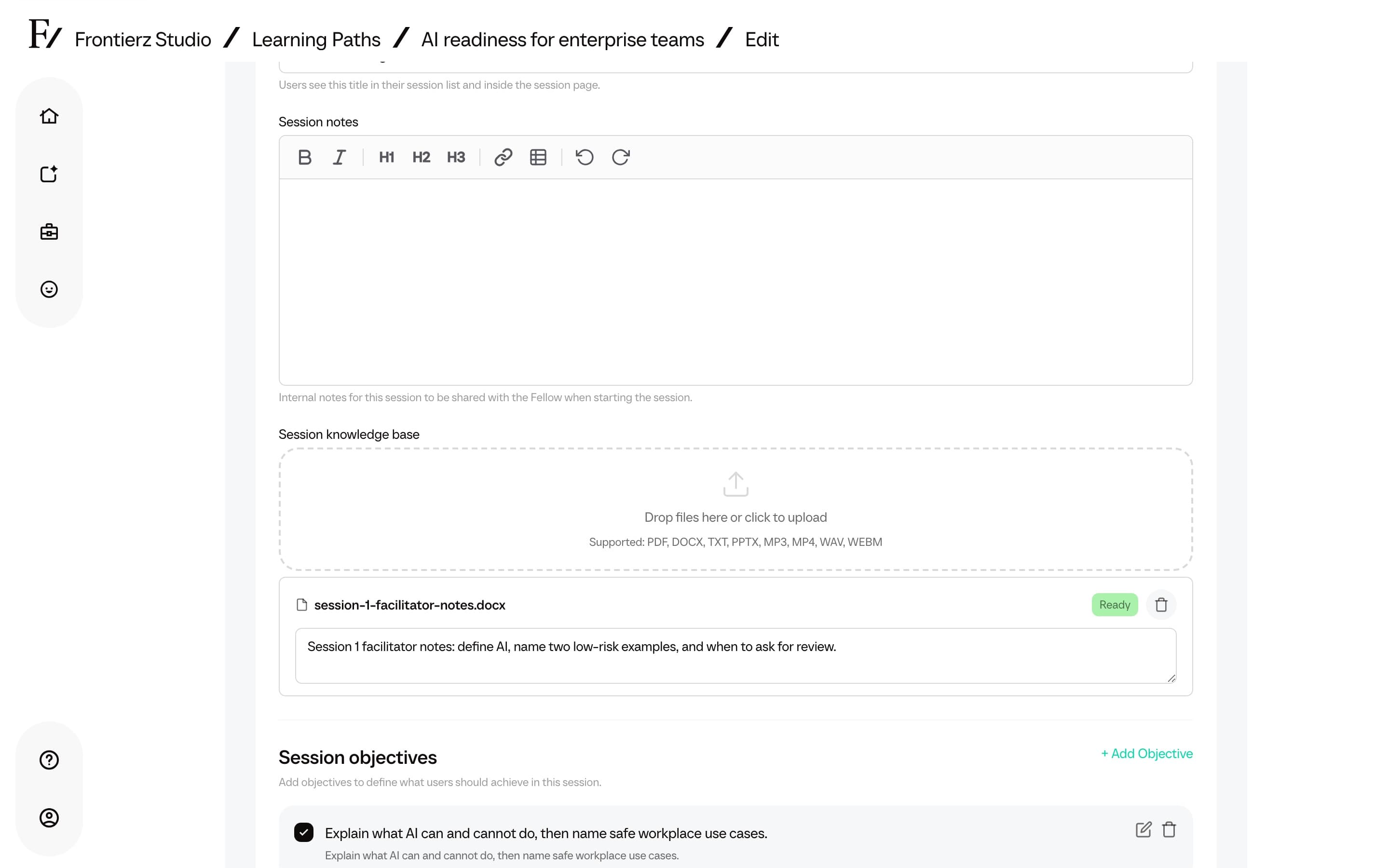
Remove a file at any time with the delete control next to it. The AI Fellow stops using the material once the change is processed.
Keep each description specific enough that the Fellow can pick the right file (audience, situation, distinctive terms). Short files can be read in full. Longer files stay available so the Fellow can open them when needed, instead of loading every document at the start of the session. For a non-sequential reference library, an AI Fellow Knowledge Base is a better fit.