

Company Profile
The Company Profile page is reserved for Full Admins and contains tenant-wide identity and AI context settings. Managers do not have access to this page.
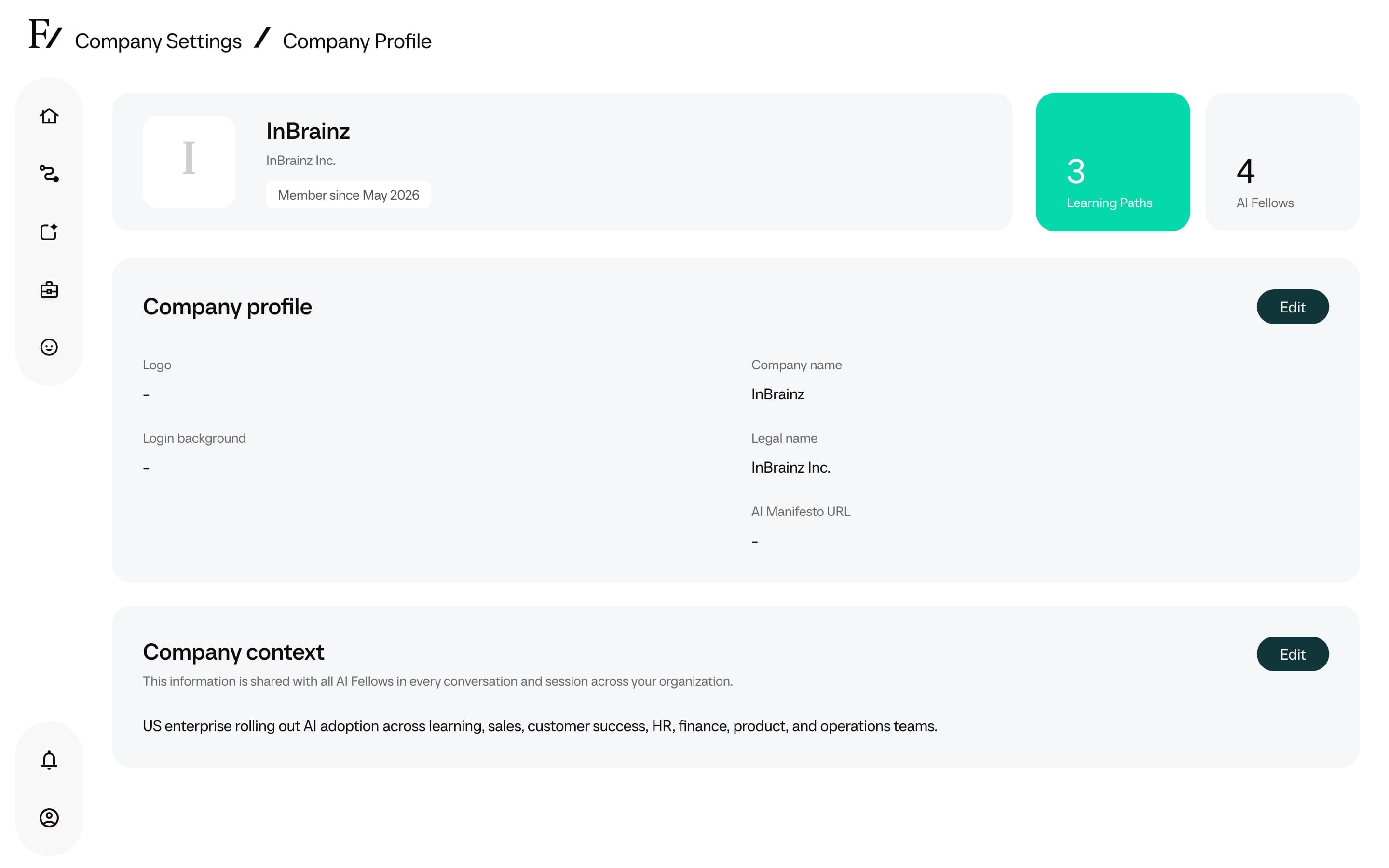
What you can edit
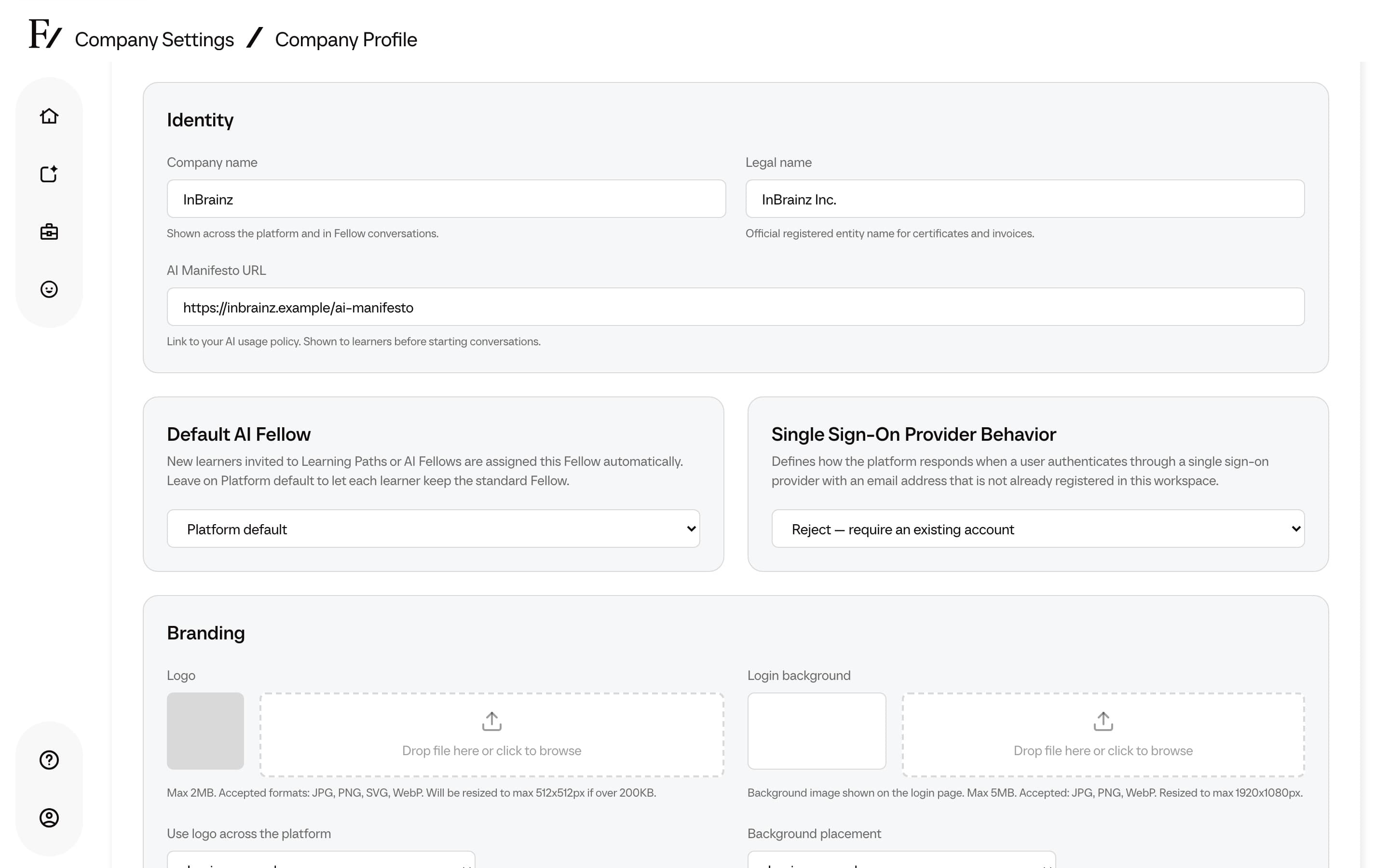
- Company name and legal name.
- Light logo and Dark logo. Upload a JPG, PNG, SVG, or WebP up to 2MB for each. JPG, PNG, and WebP files open a crop tool so the logo sits right; SVG files upload without cropping. Light logo is used on light surfaces such as the Studio top bar. Dark logo is used on dark surfaces.
- Logo on the login page. After both logos are uploaded, pick Light logo or Dark logo. The previews use your login background so you can compare readability.
- Default profile image. Shown as the You picture on AI Fellow sessions. JPG, PNG, or WebP up to 2MB.
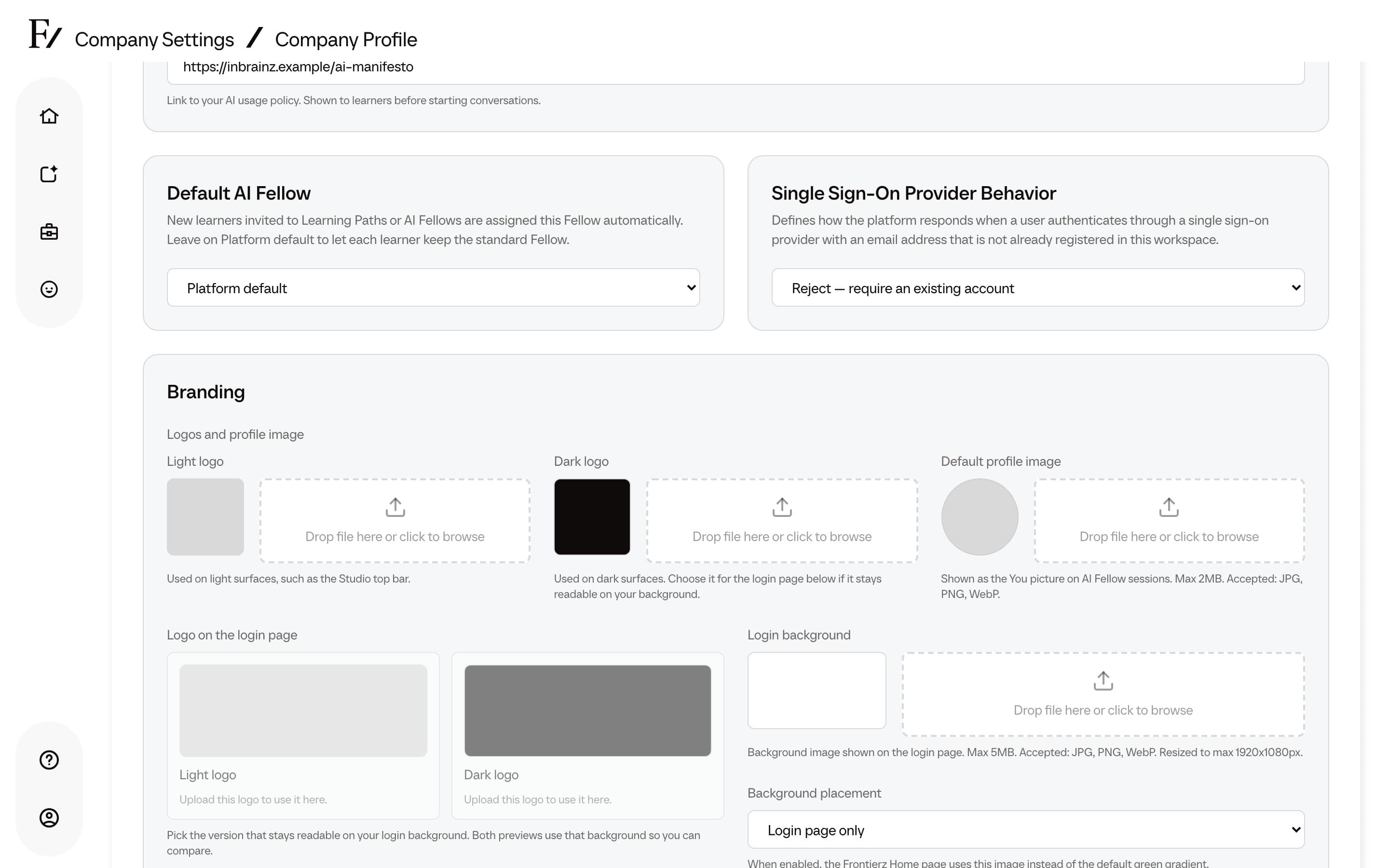
- Use logo across the platform. When on, your logo replaces the Frontierz logo in the top bar throughout the platform. When off, it only appears on the login page.
- Login background shown on the login page, plus a placement option: Login page only or Login and Home pages. When set to Login and Home, the Frontierz Home page uses this image instead of the default green gradient.
- AI Manifesto URL, used when the organization wants users to see a policy or usage guide before starting conversations.
- Default AI Fellow, used as the personal Fellow assigned to brand-new learners.
- Company context shared with AI Fellows so that their answers can reflect the organization, industry, tone, and internal terminology.
Branding colors
Two color settings let the workspace match a company palette. Each one can be reset to the Frontierz default at any time.
- Accent colors. A primary and a secondary accent drive buttons, links, and highlights across the platform. Pick colors with enough contrast against white so text and links stay legible.
- Gradient colors. A start and end color used for the session cards on the Home and Journey pages. Pick colors that keep black text readable.
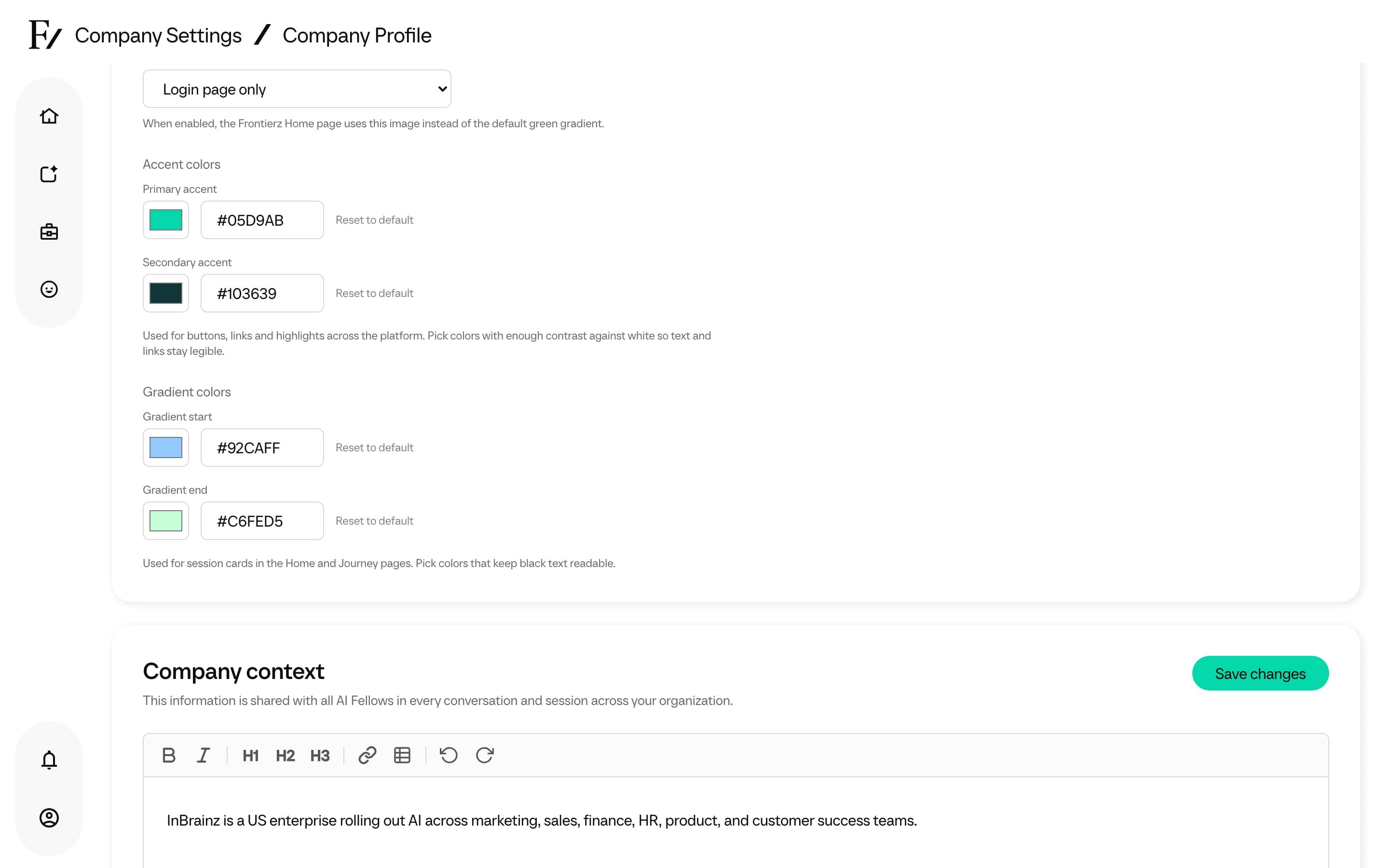
Color choices apply to the whole workspace. Test them against white backgrounds and the session cards before saving, and use Reset to default to return to the standard Frontierz look.
Default AI Fellow
The Default AI Fellow field controls the personal Fellow assigned to new learners created for this company. It applies when a brand-new learner is invited to a Learning Path, given AI Fellow access, imported from CSV, or enrolled from Studio.
Existing users keep their current personal Fellow. Changing this field only affects learners created after the change.
The selector includes the platform Fellow options and any Active custom Fellows available to the company. A disabled or deleted custom Fellow is not assigned to new learners.
Leave the field on Platform default to let Frontierz resolve the learner's Learning Path default first and otherwise choose a standard platform Fellow. It does not point to one fixed Fellow.
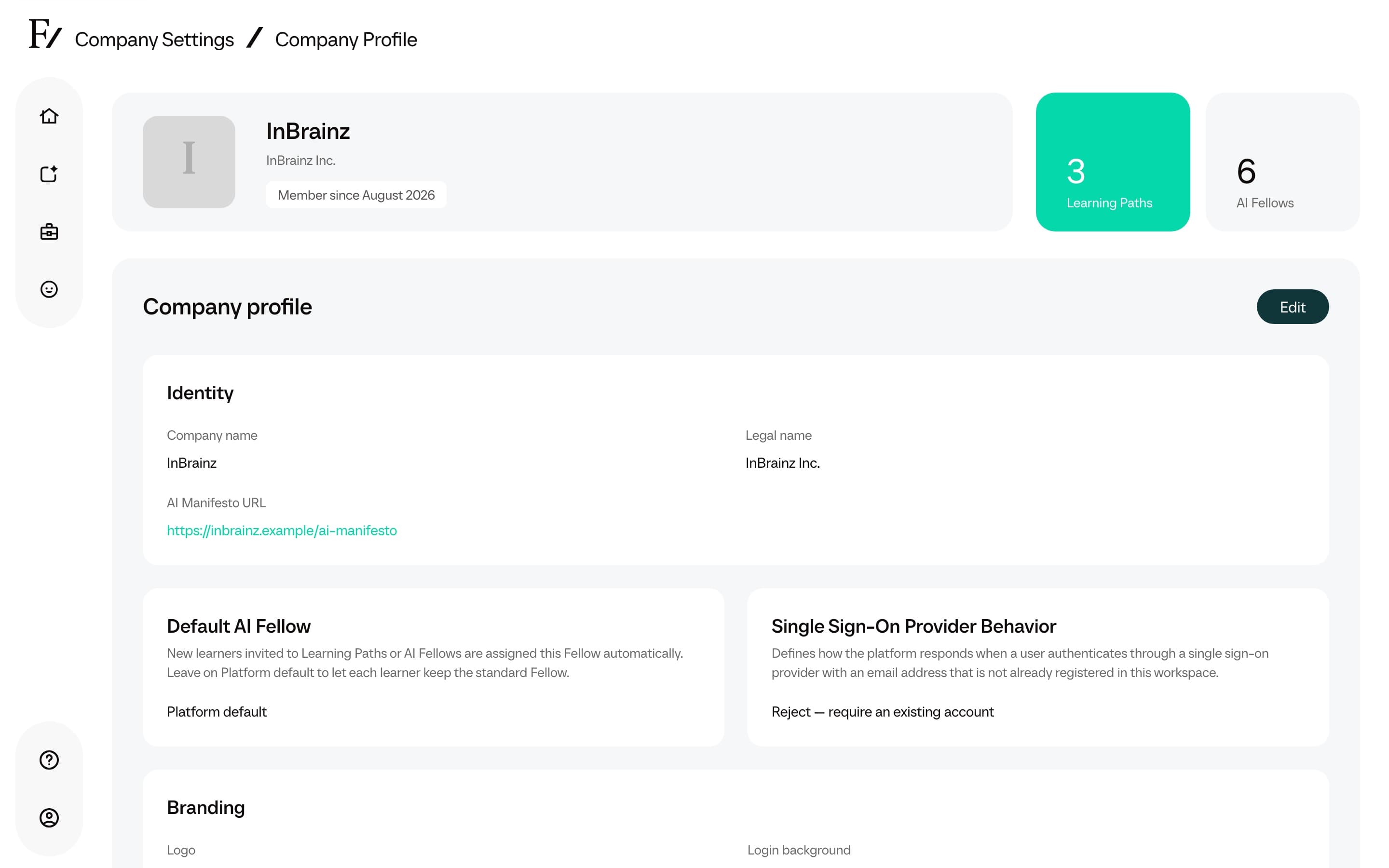
Single Sign-On Provider Behavior
The Single Sign-On Provider Behavior setting controls what happens when a user signs in through a single sign-on provider with an email address that is not registered in the workspace.
| Option | Behavior |
|---|---|
| Reject: require an existing account | The sign-in is rejected. An administrator must add the user to the workspace first. |
| Create: allow sign-up with no access | Frontierz creates the account, but does not grant access to any Learning Path or AI Fellow. |
Reject is the default. The setting applies only to email addresses that do not already belong to an account in the workspace.
Update the profile
Open Company Settings → Company Profile.
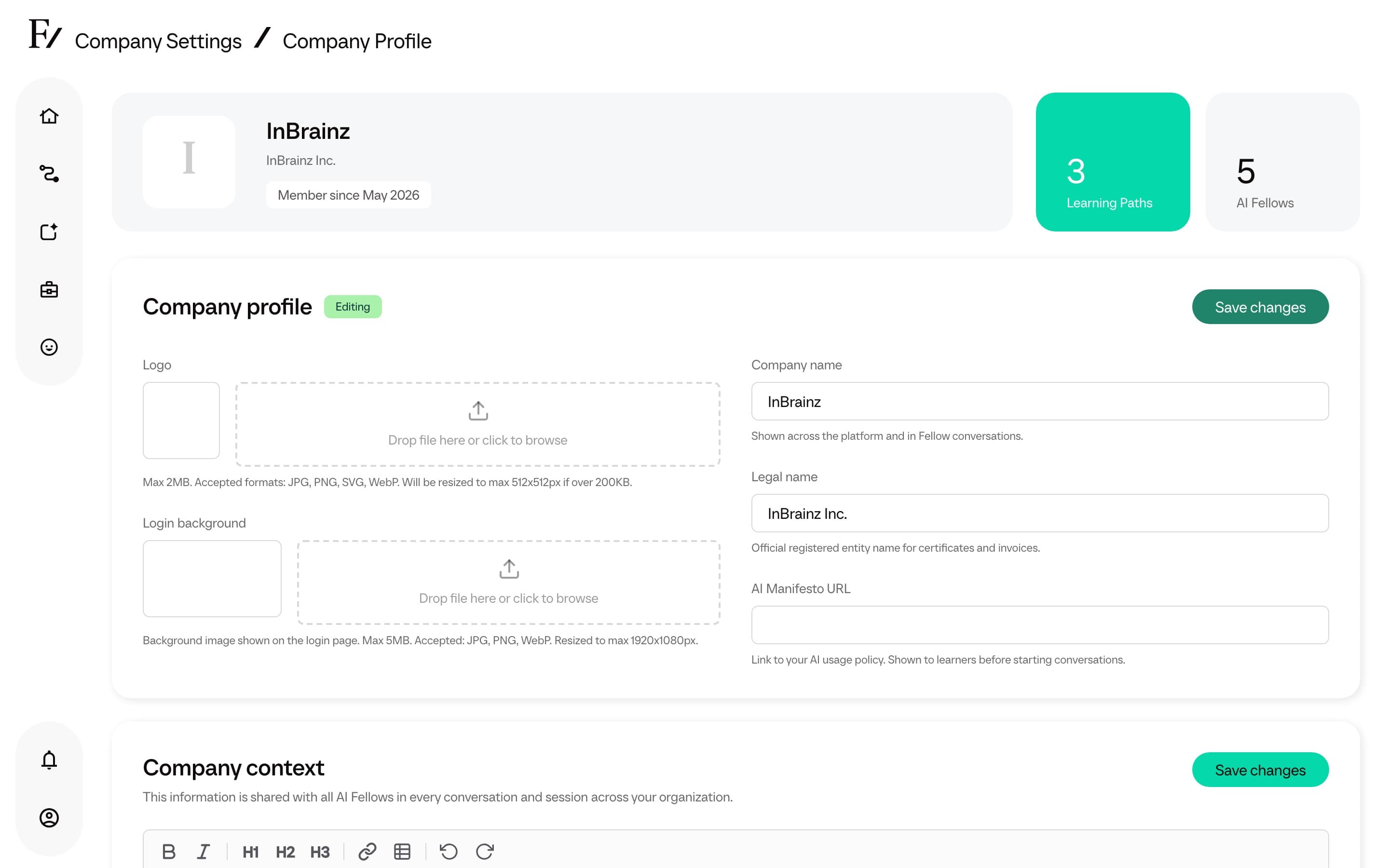
Company context is shared with all AI Fellows in the organization. Ensure the content is accurate, concise, and does not include credentials or sensitive secrets.