

Create a Learning Path
Frontierz Studio collects basic configuration during creation. Sessions, objectives, users, and Connectors can be added or modified afterward in the editor.
Clicking New Learning Path opens a choice:
| Option | Use it for |
|---|---|
| Start from scratch | An empty Learning Path. Add sessions and objectives in the editor. |
| Build with AI | A draft generated from a briefing. See Build with AI. |
| Import | A SCORM package or a Frontierz Learning Path file. |
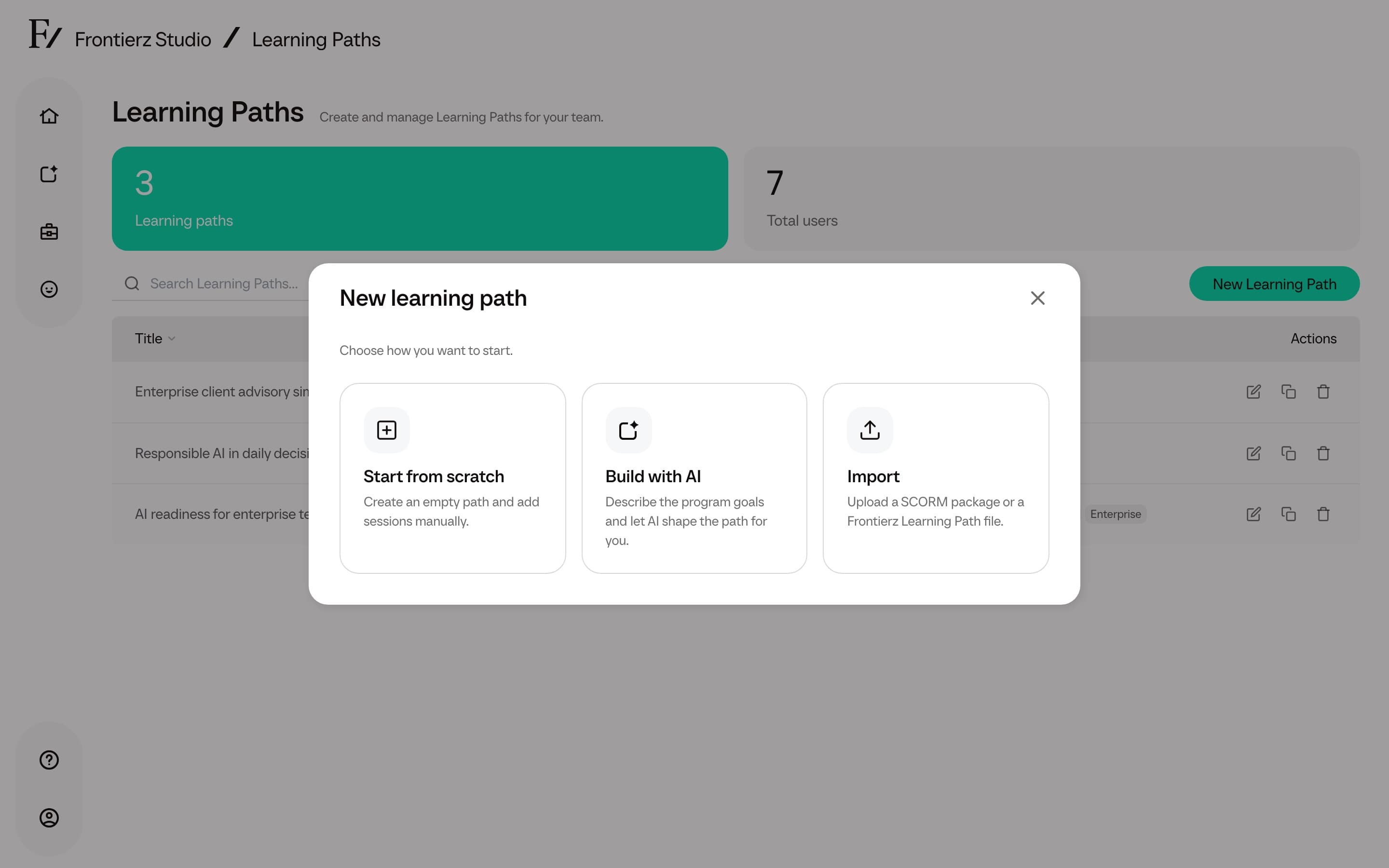
The steps below apply to Start from scratch.
Open Frontierz Studio → Learning Paths.
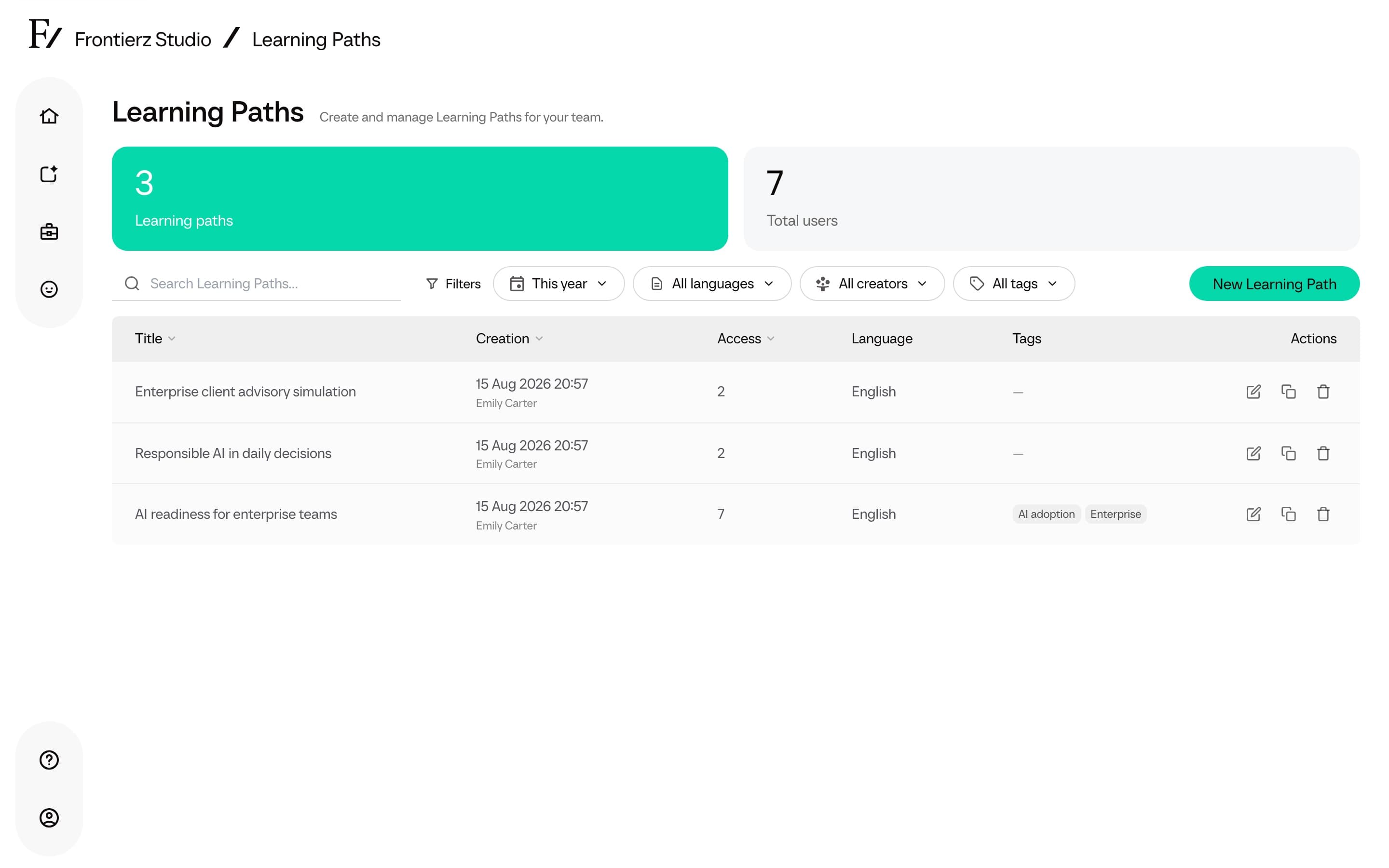
Click New Learning Path, then choose Start from scratch.
Enter the Name and Default language. There is no separate description field at creation. The name is what the team and learners see.
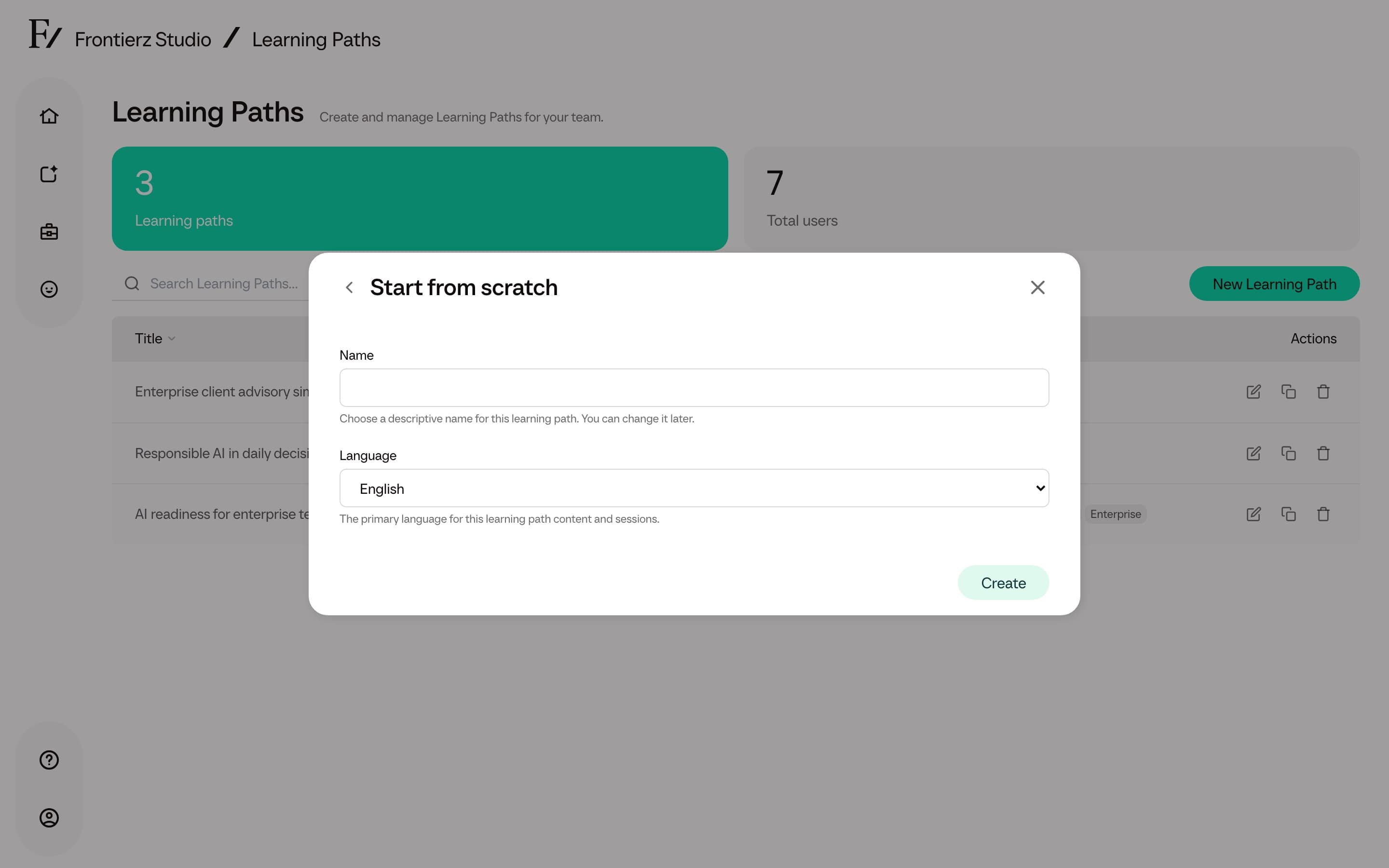
Click Create. The editor opens so that sessions can be added.
Use a descriptive name (for example, Q2 2026 sales onboarding) so that the Learning Path can be identified later when several Learning Paths exist in the same workspace.
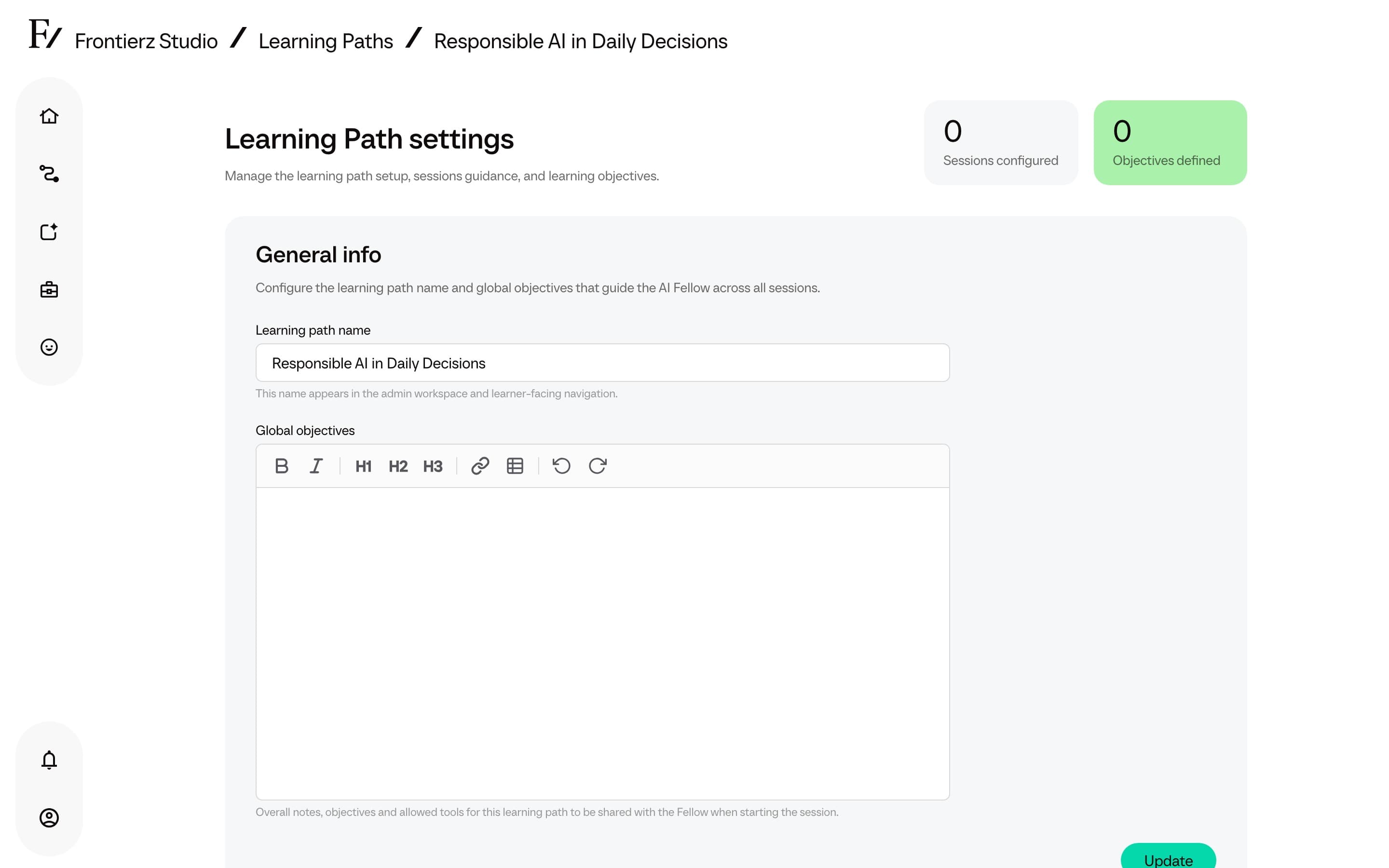
Generate a draft with AI
To start from a goal rather than a blank session list, choose Build with AI in the same New Learning Path modal. See Build with AI for the walkthrough.