

Profile
Profile is where you keep your personal information up to date, choose your interface language, manage how you sign in, and switch between Learning Paths if you are enrolled in more than one.
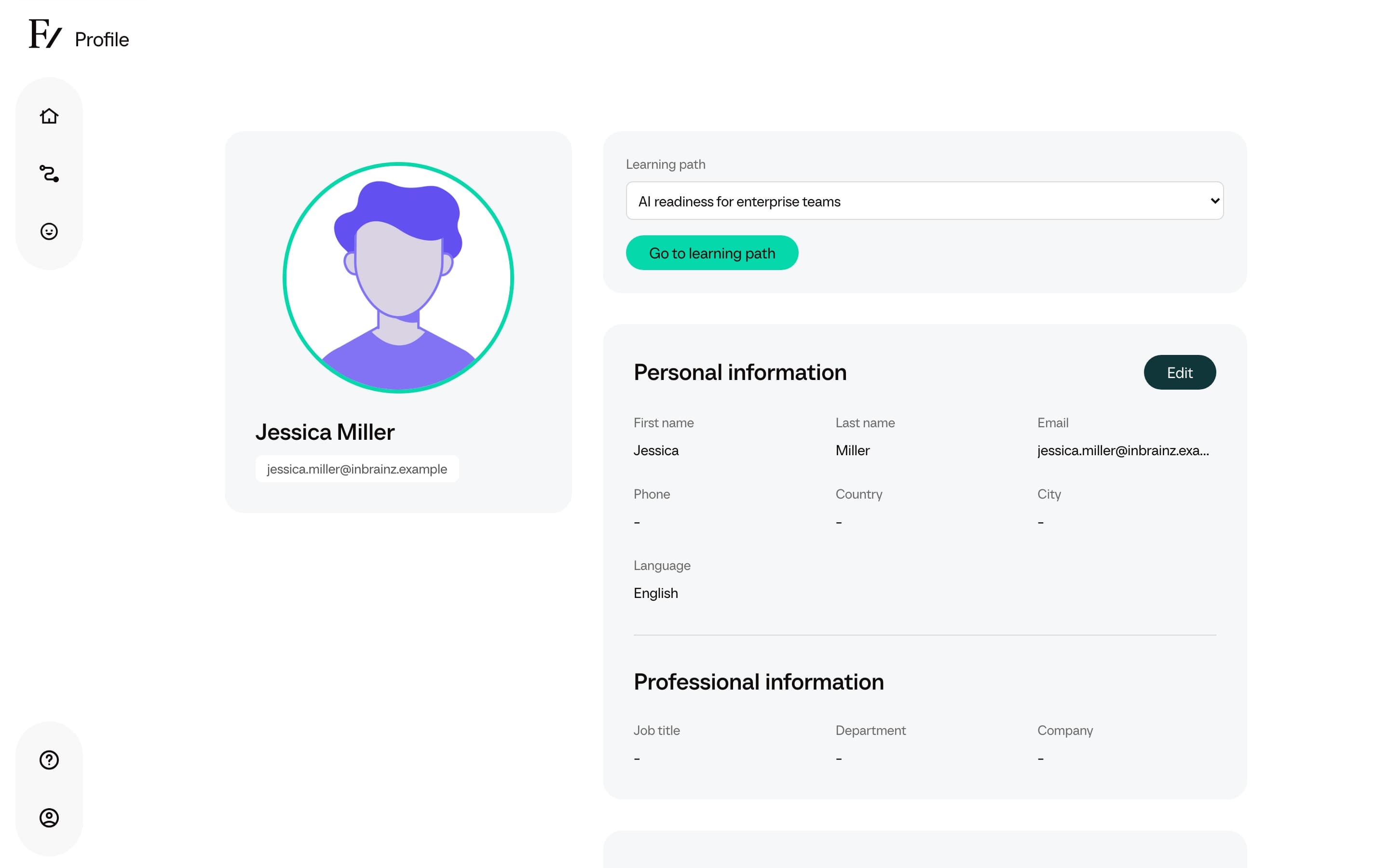
Open Profile
Open the user menu at the bottom of the sidebar and select Profile. The same menu also has the Log out option.
Personal information
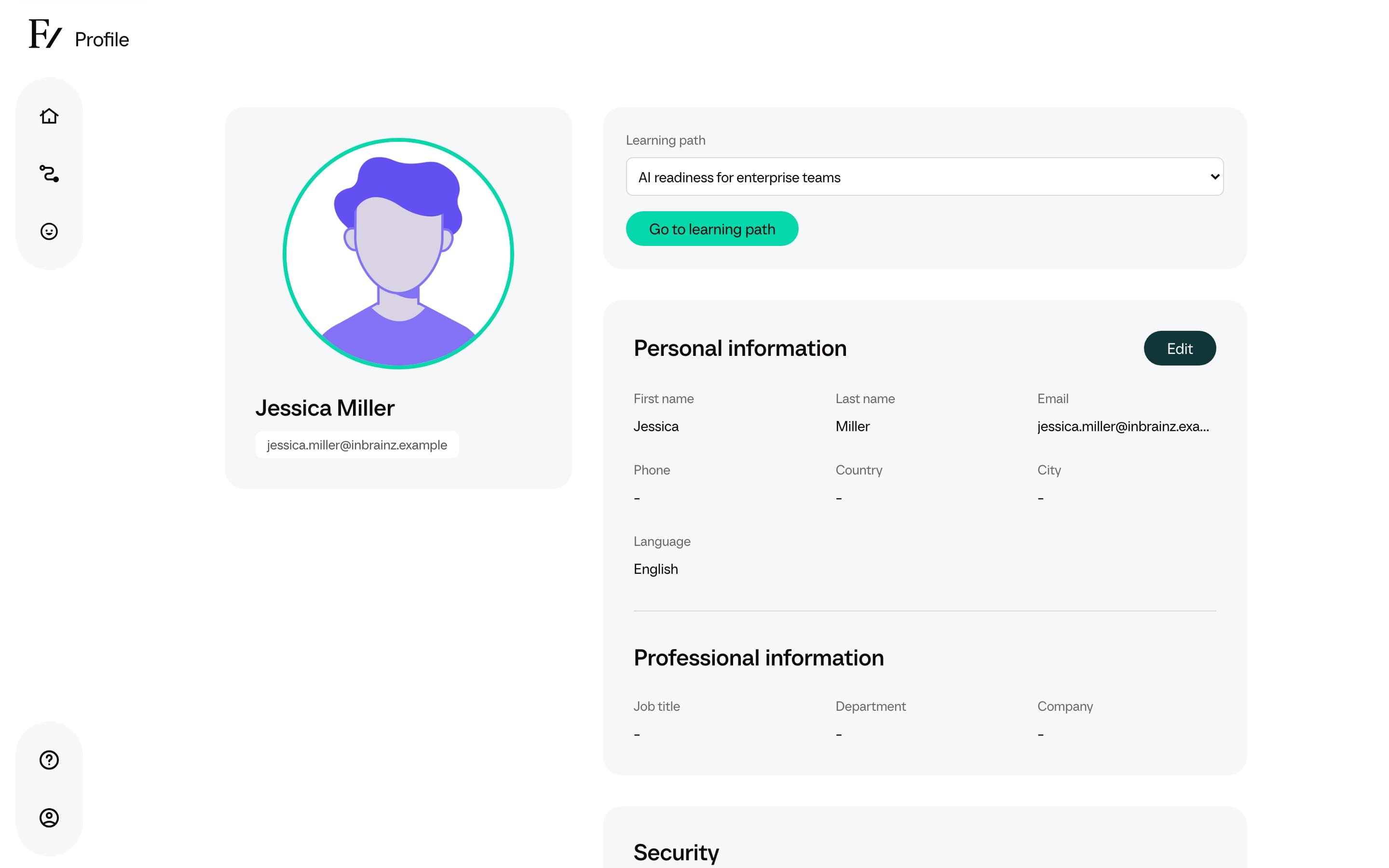
You can edit:
- Your display name as it appears in conversations and on the platform.
- Your email address. Email is also how you sign in, so changing it changes the address that receives sign-in links.
- Your interface language. The platform UI is shown in the language you choose. The language used in conversations is set by the AI Fellow itself, although AI Fellows support switching mid-conversation.
Active Learning Path
If your organization has enrolled you in more than one Learning Path, the Profile page includes an active Learning Path selector. Pick the one you want to work on. Home and Your Journey then show that Learning Path. See Switching between Learning Paths for the details.
Security
The Security section is how you manage sign-in methods. What you see depends on what your organization turned on.
- Password. Change the password you use to sign in, when your account has one. Choose Update Password, enter your current password, then enter a new one (at least 6 characters) twice.
- Two-factor authentication. When this option is available, turn it on so sign-in asks for a 6-digit code from an authenticator app on your phone. Scan the QR code (or enter the setup key), then enter the code from the app. Frontierz then shows backup codes once. Store them privately. Each code works once. If you lose them, choose Get New Backup Codes. The old codes stop working.
- Passkeys. When this option is available, add a passkey to sign in with your fingerprint, face, or device PIN. A passkey works on the Frontierz address where you created it. Choose Manage Passkeys, confirm your password, then Add Passkey.
If your account requires two-factor authentication, you will need to turn it on before you can continue. Those accounts cannot turn it off.
Log out
The Log out option signs you out of Frontierz on the current device. Use it on shared computers. Closing the browser tab does not sign you out on its own.