
Access management
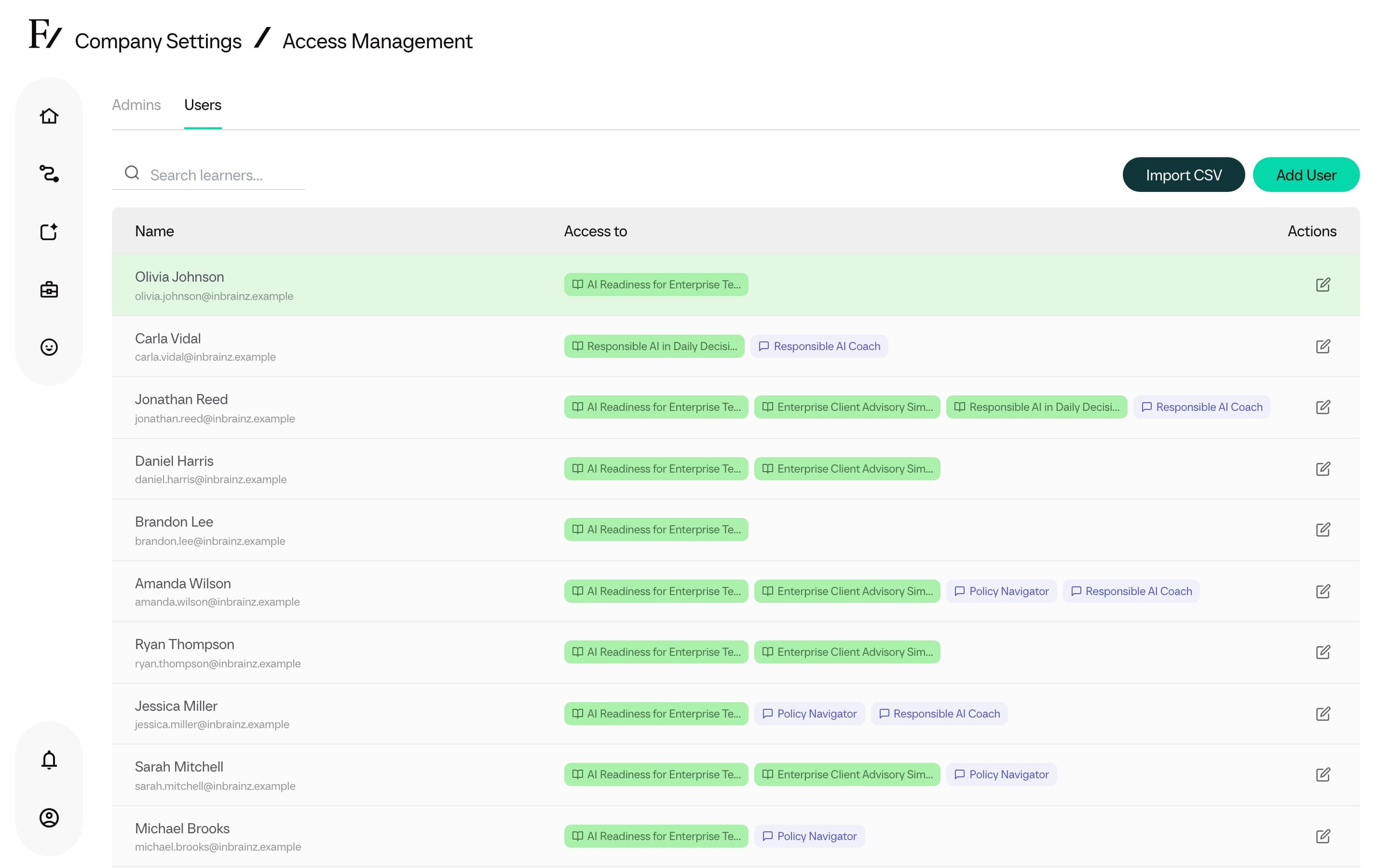
Access Management controls who in the organization can use Frontierz Studio and what each user can access. The page manages Admin users (Owners, Full Admins, and Managers) and provides the bulk-import tool for Users.
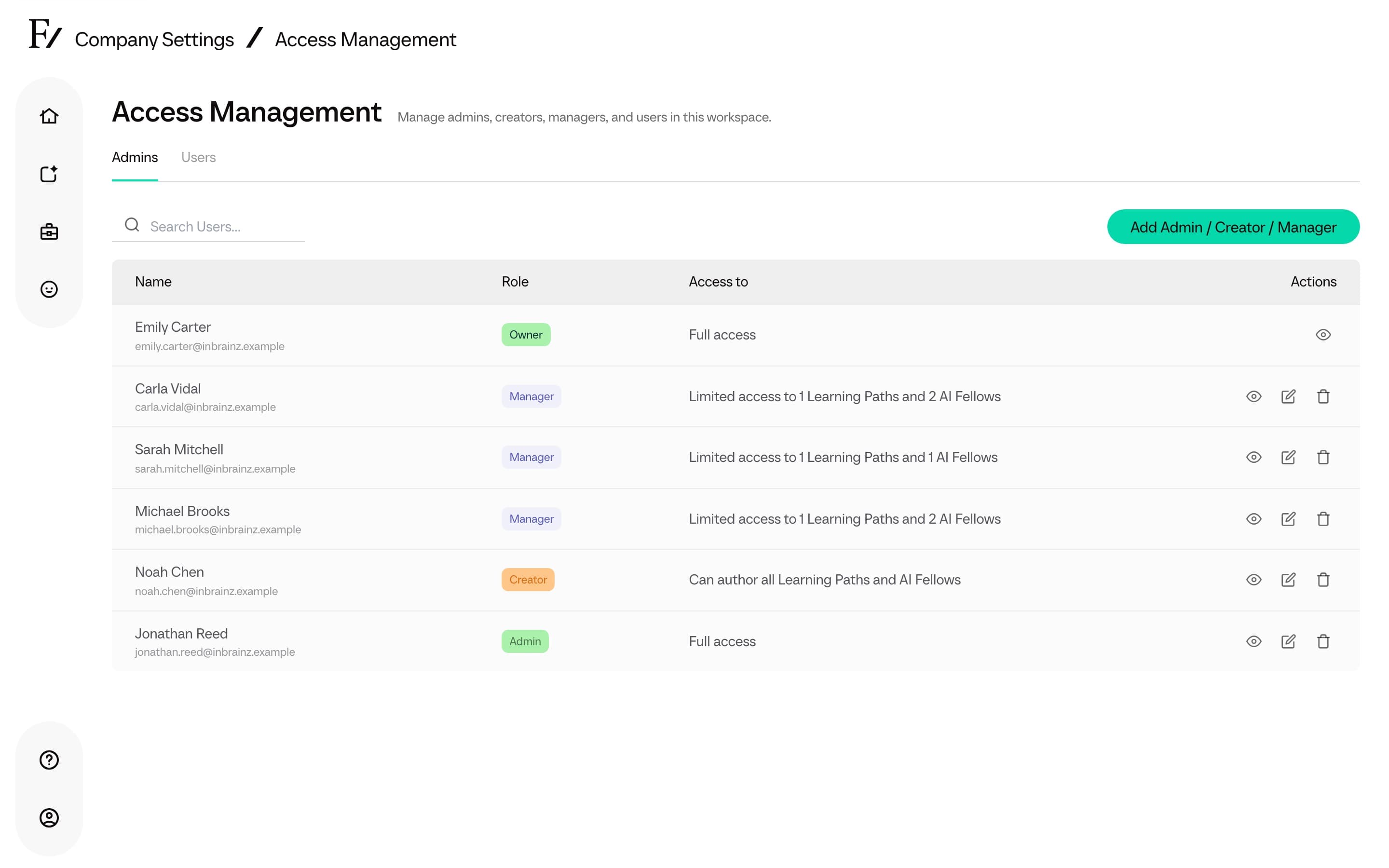
Access Management has two tabs:
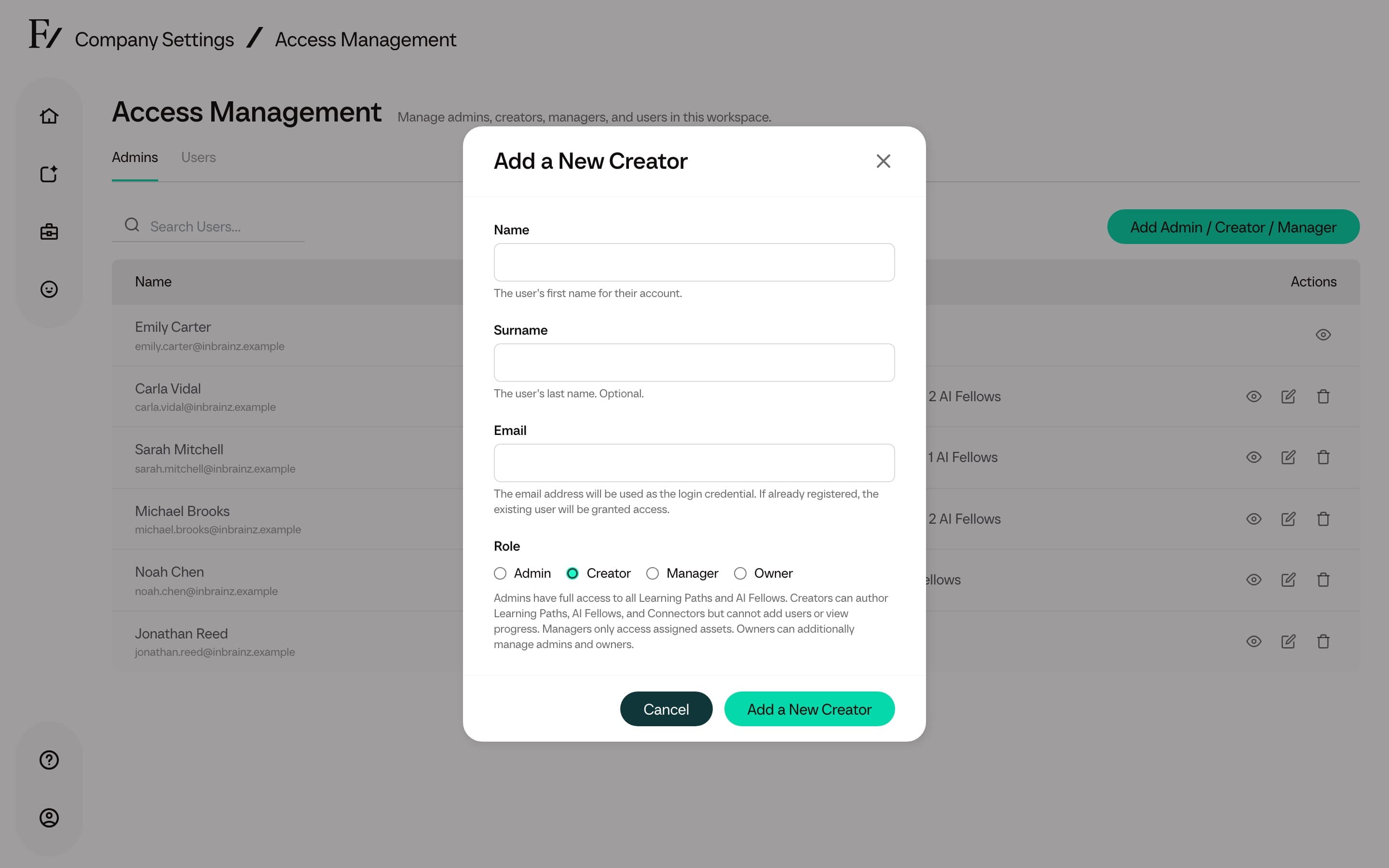
- Admins. Owners, Full Admins, Creators, and Managers. Used to invite those roles, change permitted roles, set which Learning Paths and AI Fellows a Manager oversees, and remove admin access the current role is allowed to manage. Only Owners can change or remove Full Admins and Owners. Full Admins can invite, edit, and remove Creators and Managers.
- Users. The people enrolled in Learning Paths and given access to specific AI Fellows. Used to add a single User, change their Learning Path or AI Fellow access, remove a user from this workspace, or import a whole CSV.
Public AI Fellows remain accessible to anyone with the link. Assigning a user to a Public AI Fellow is useful when access must be pre-provisioned in advance of a planned switch to Private.
Invite an Admin user
To add an Admin user from Access Management:
For Managers, select the Learning Paths and AI Fellows they should be able to manage. Full Admins skip this step.
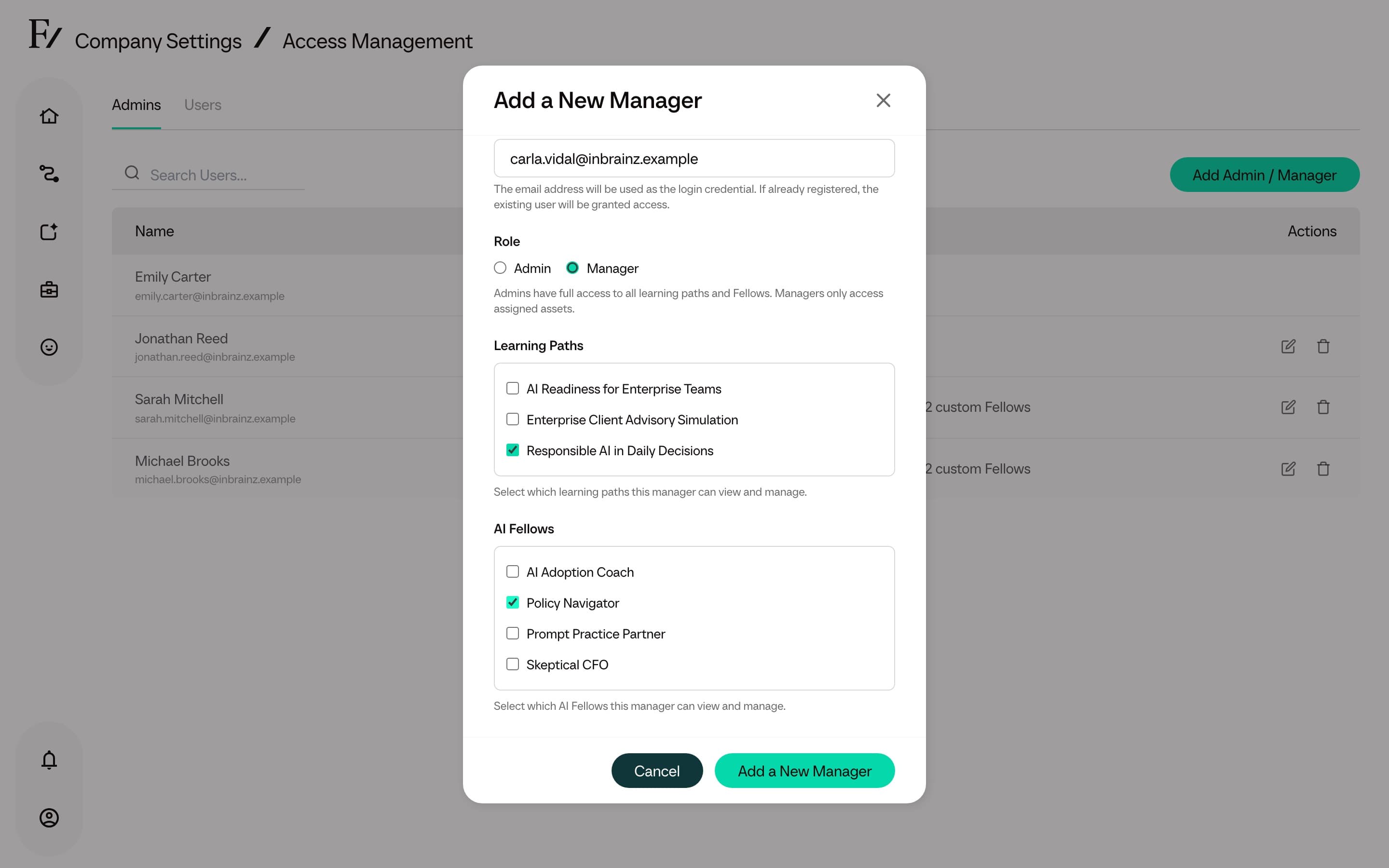
For the full breakdown of what each role can do, see Roles and permissions.
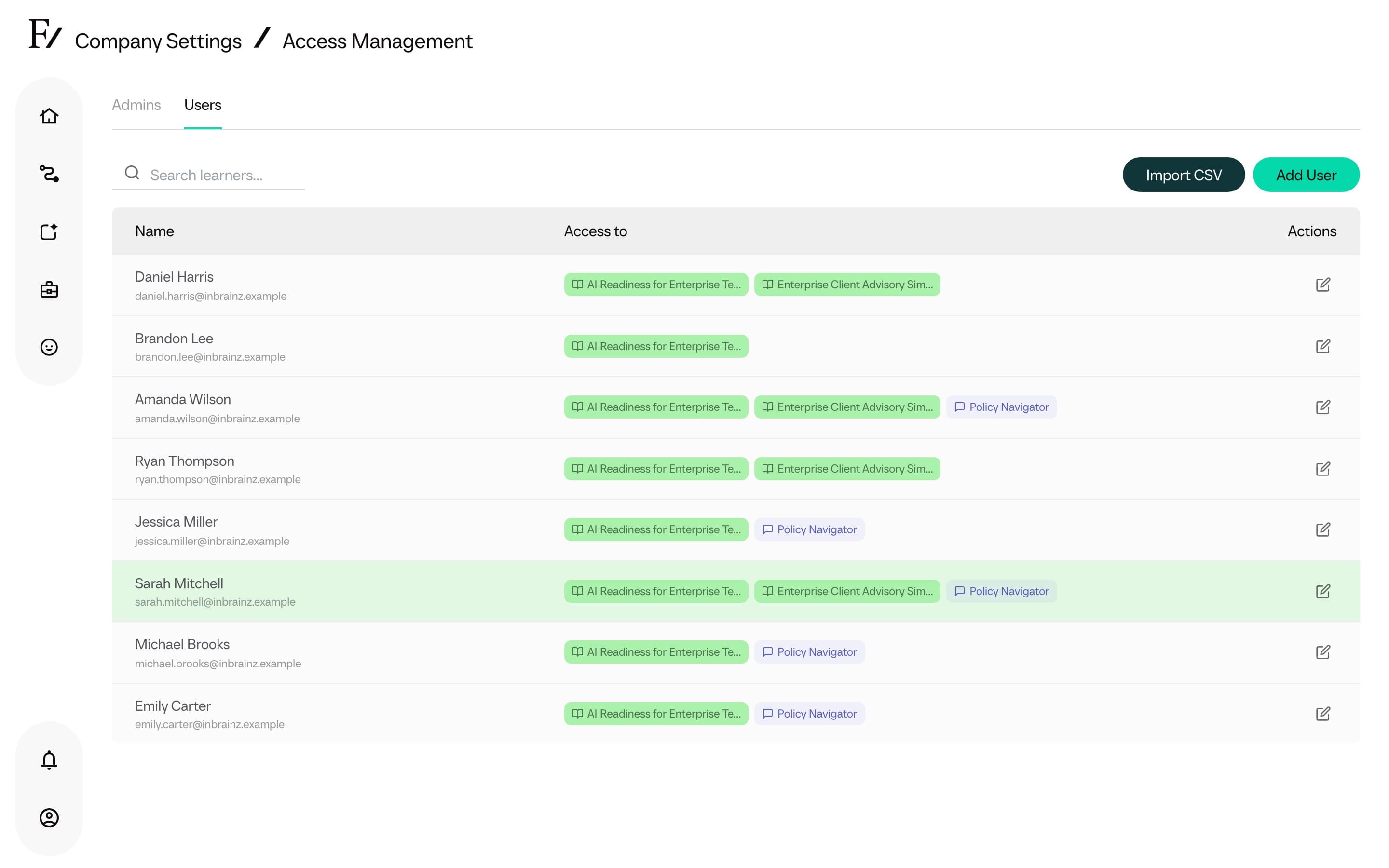
Rows in both tabs open the same User detail page. Use it to review one person's role, access, activity, and account details before making a change.
Manage Users
Users are the people enrolled in Learning Paths. Manage them from the Users tab, or directly from inside a Learning Path. Bulk imports are performed via CSV.
Add one user
Use the Users tab to create or attach one user and grant access to selected Learning Paths or AI Fellows.
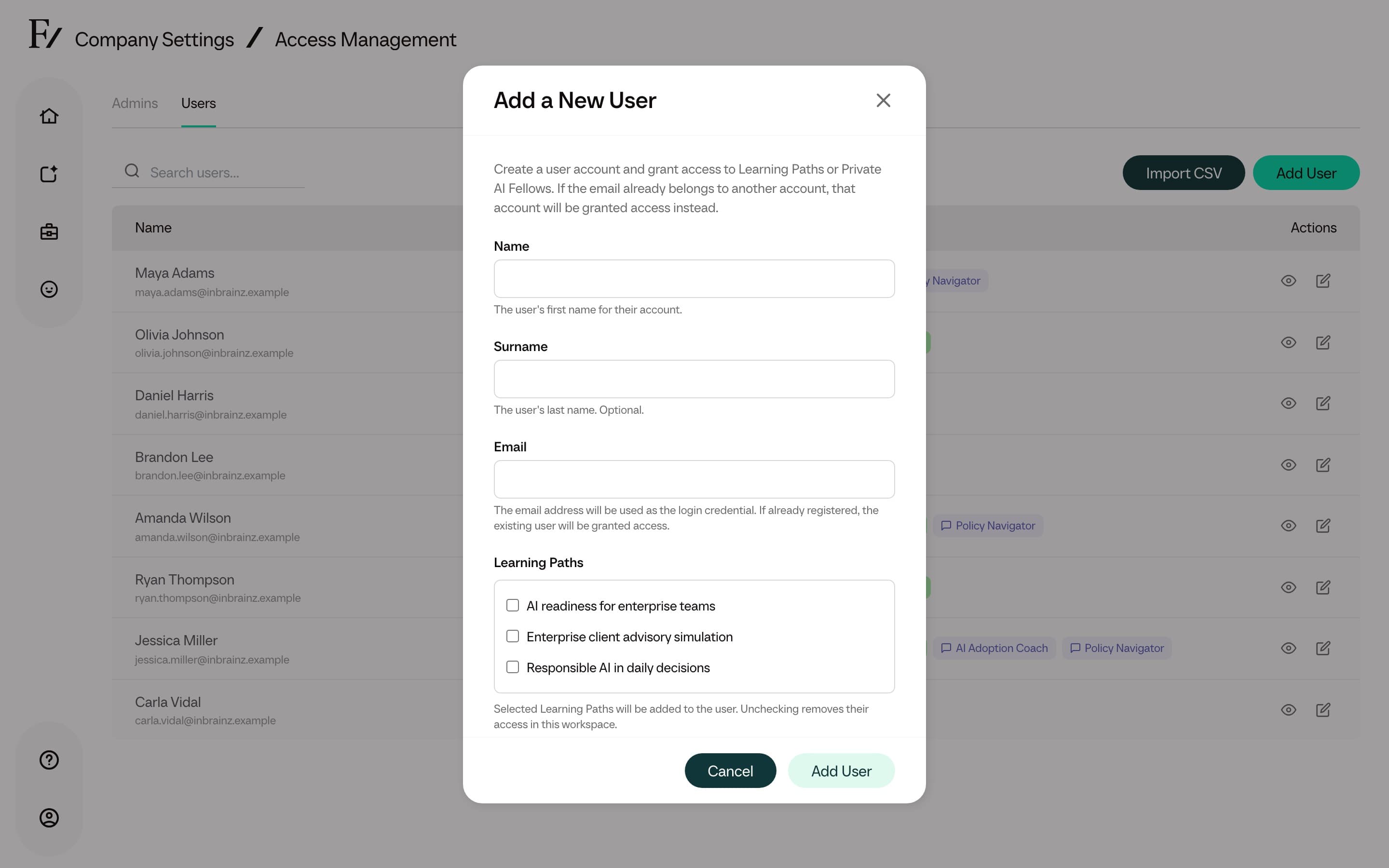
If the email already belongs to a user, Frontierz adds that user to the workspace and grants the selected access. Otherwise, Frontierz creates a new user account.
Remove a user from this workspace
Remove User takes the person out of this company. It is available on the Users tab and on User detail.
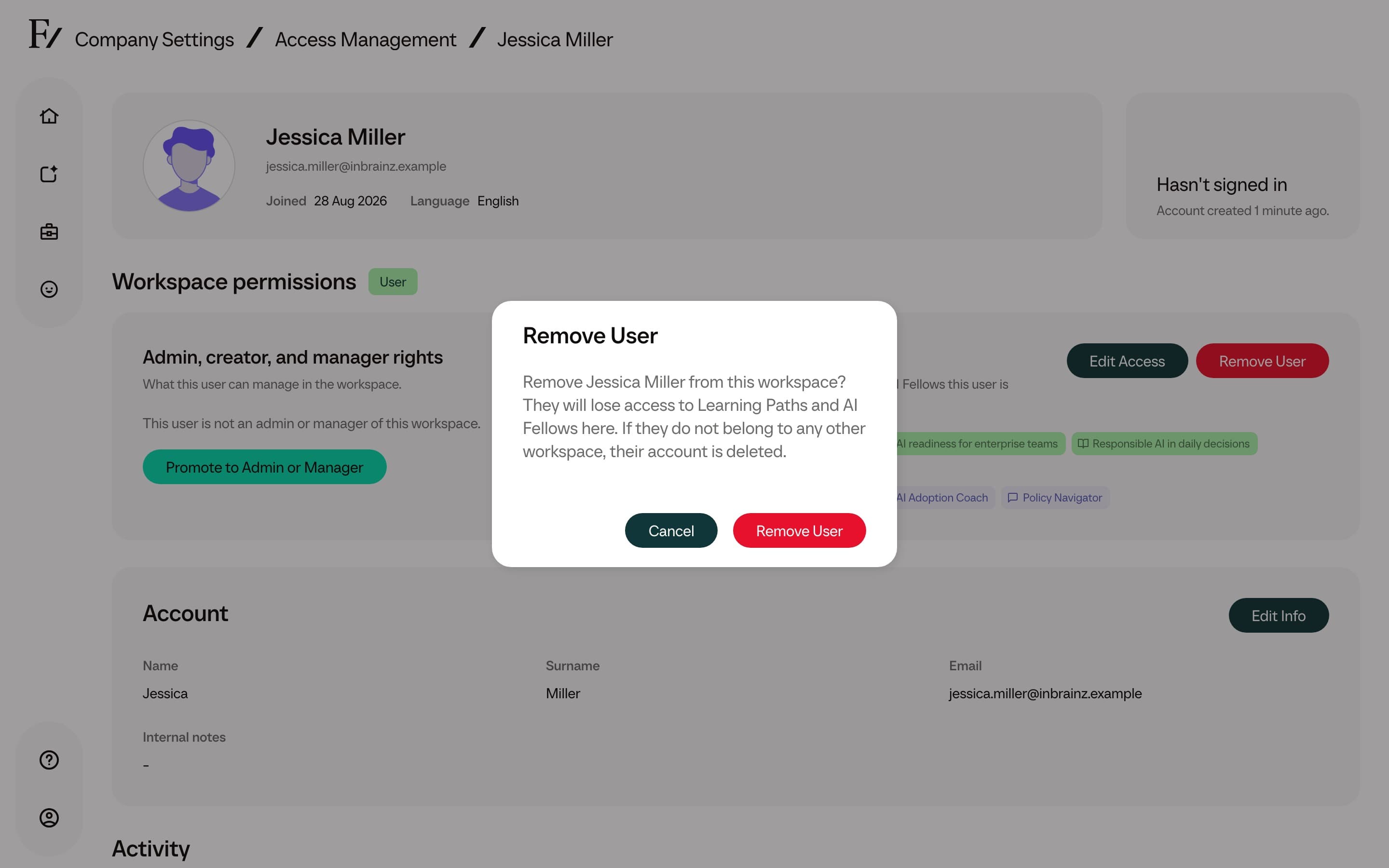
The person loses Learning Path and AI Fellow access in this workspace. Their admin row for this company is removed as well. If they still belong to another workspace, the account stays. If this was their only workspace, Frontierz deletes the account.
You cannot remove yourself. Removing a Full Admin or Owner still requires the Owner role.
Removal takes effect immediately. Conversation history already stored for this company remains available to authorized Admin users.
Enroll one user
Add a single user to a specific Learning Path.
Import users from CSV
Create up to several thousand users in a single upload.