

User detail
The User detail page gives Full Admins and Owners one place to review a person in the company, whether they are a User, Manager, Creator, Full Admin, Owner, or a combination of those roles.
Open it from Company Settings → Access Management by clicking a row or the view icon in either tab.
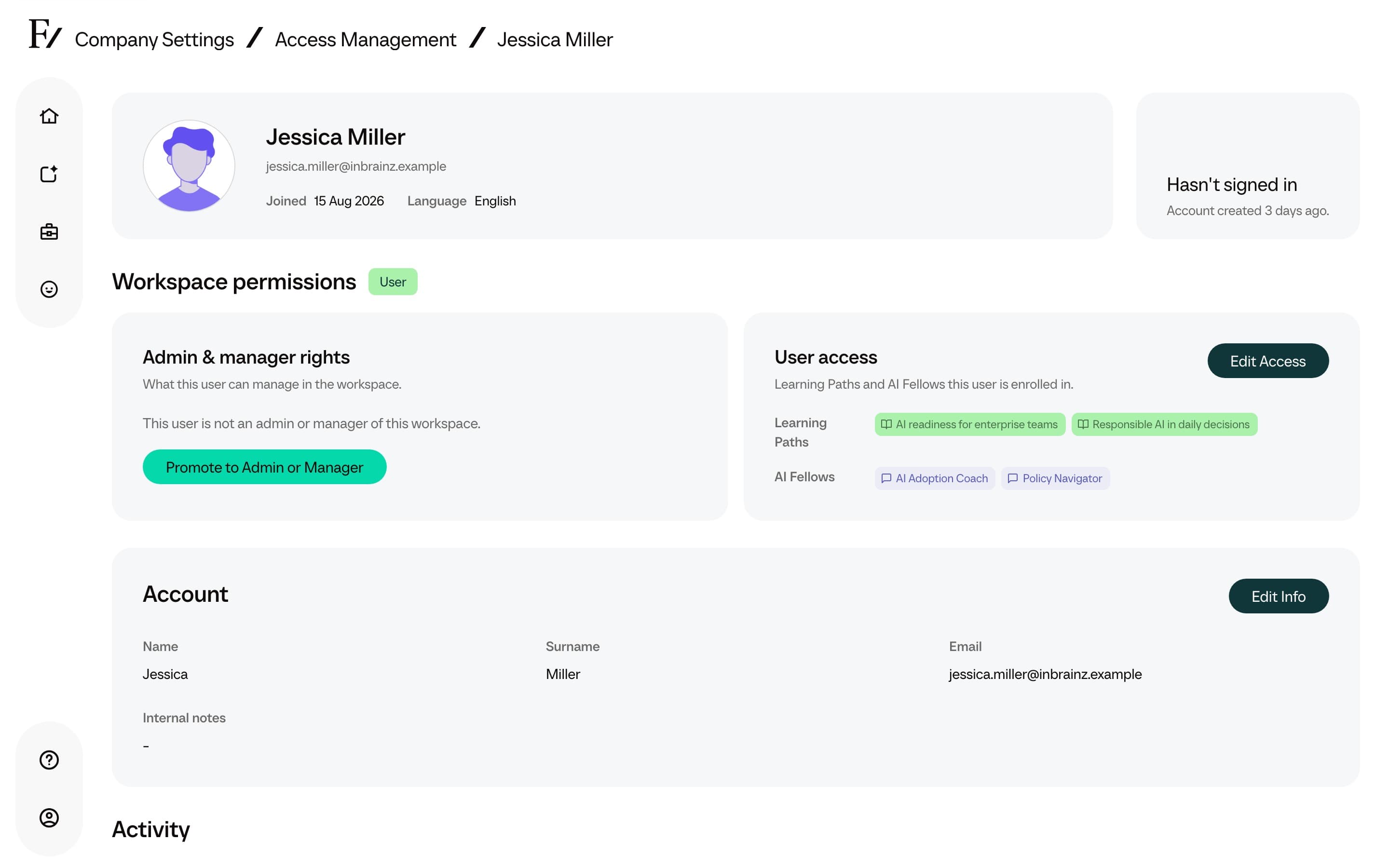
What the page shows
The page is organized around three questions:
| Section | What it answers |
|---|---|
| Identity | Who is this person, what email do they use, and when were they last active? |
| Workspace permissions | What can this person do in this company: admin or manager rights, user access, or both? |
| Activity | Which Learning Paths and AI Fellows have they used, with progress and usage numbers where available? |
A person can be both an admin or manager and a User. When that happens, the page shows both sides together instead of splitting them across separate screens.
Workspace permissions
Workspace permissions are split into two cards.
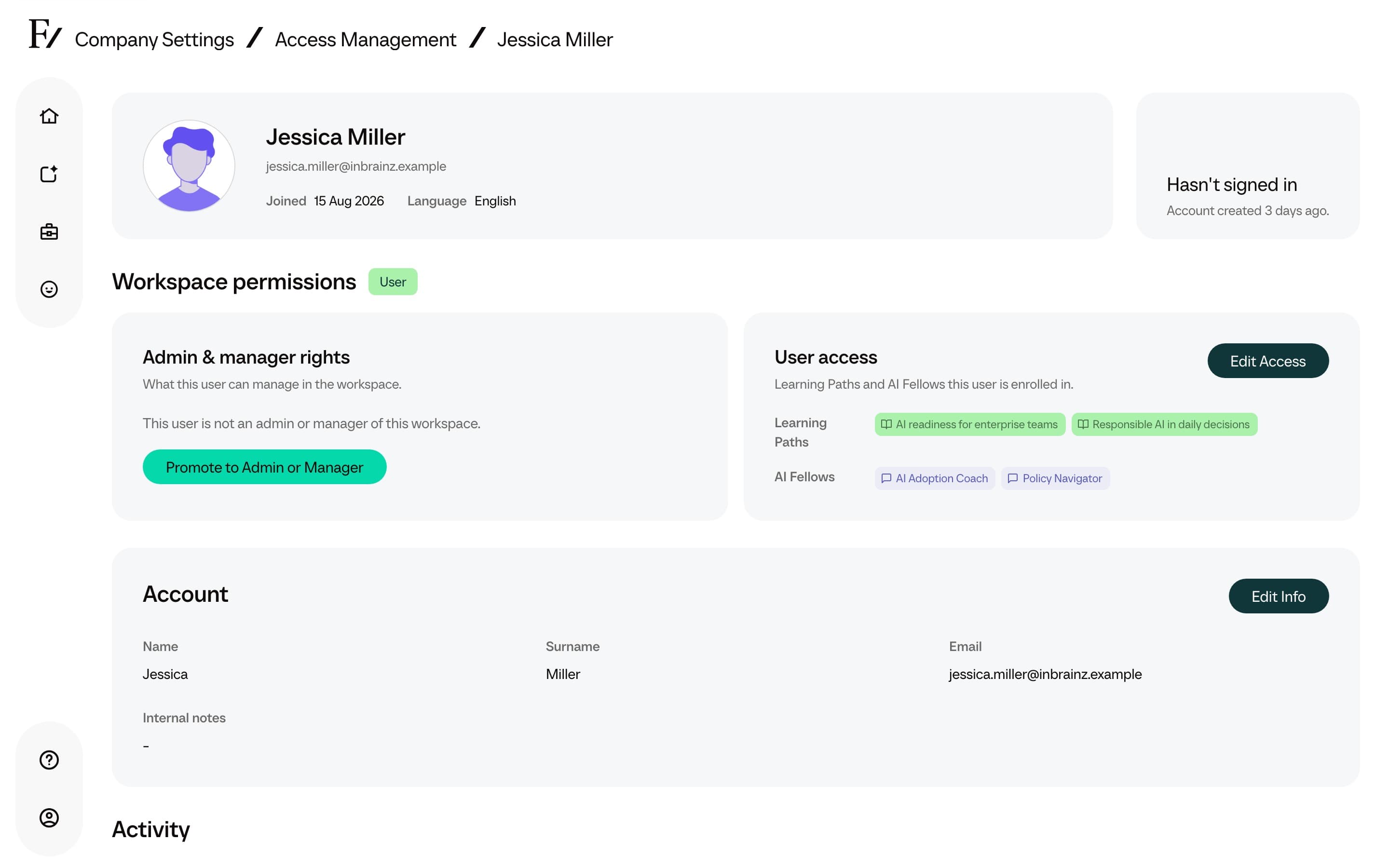
Admin, creator, and manager rights shows whether the person is an Owner, Full Admin, Creator, Manager, or has no admin rights. Owners and Full Admins see all Learning Paths and AI Fellows. Creators can author those assets without enrollment rights. Managers show only the assets assigned to them.
User access shows the Learning Paths and AI Fellows the person can use as an end user.
From these cards, an authorized Full Admin or Owner can:
- Edit a Manager's assigned Learning Paths and AI Fellows.
- Promote a User. The button reads Promote to Admin or Manager. The dialog also offers Creator.
- Grant user access to an admin-only person.
- Edit which Learning Paths and AI Fellows a User can access.
- Remove a User from this workspace with Remove User. See Remove a user from this workspace.
Owners can also grant the Owner role and change another Full Admin or Owner. Full Admins cannot change or remove another Full Admin or Owner. Full Admins can invite, edit, and remove Creators. Nobody can change their own admin rights from this page.
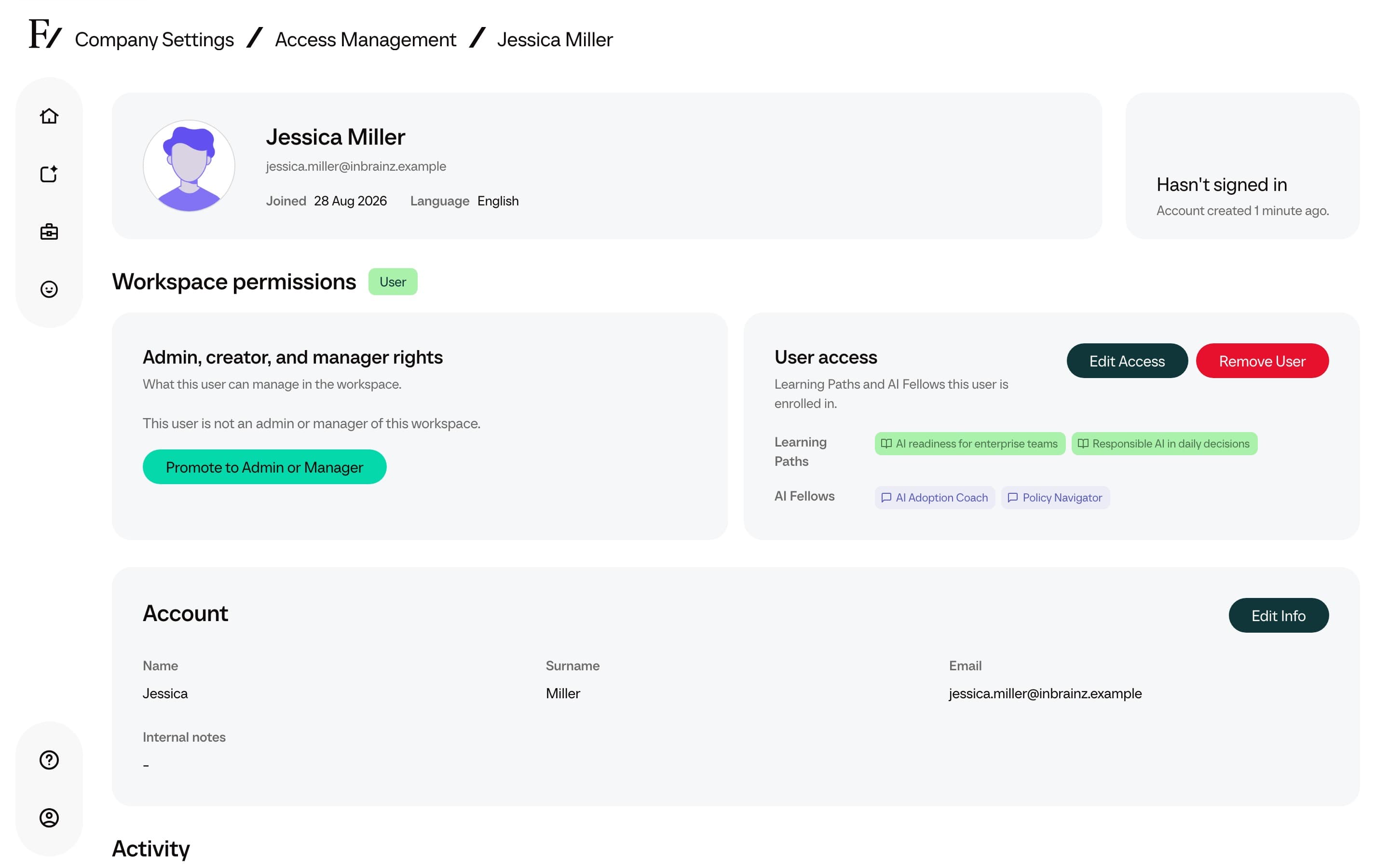
Account details
The account section allows a Full Admin to update the person's name, surname, and email address. Changing the email changes the address that receives future sign-in links.
Internal notes
Authorized admin users can add Internal notes to a user profile. The field is not shown to the user.
The notes are shared as context with the user's AI Fellows, My Fellow, and Learning Paths so they can tailor guidance. Do not include passwords, credentials, or other secrets.
Activity and usage
When there is activity to show, the page lists Learning Path progress and AI Fellow usage for that person inside the current company.
Learning Path rows show assignment date, progress, completed sessions, and last activity. AI Fellow rows show visibility, assignment date, conversations, voice minutes, messages, and last activity.
The page is tenant-scoped. It only shows access and activity for the company currently open in Frontierz.