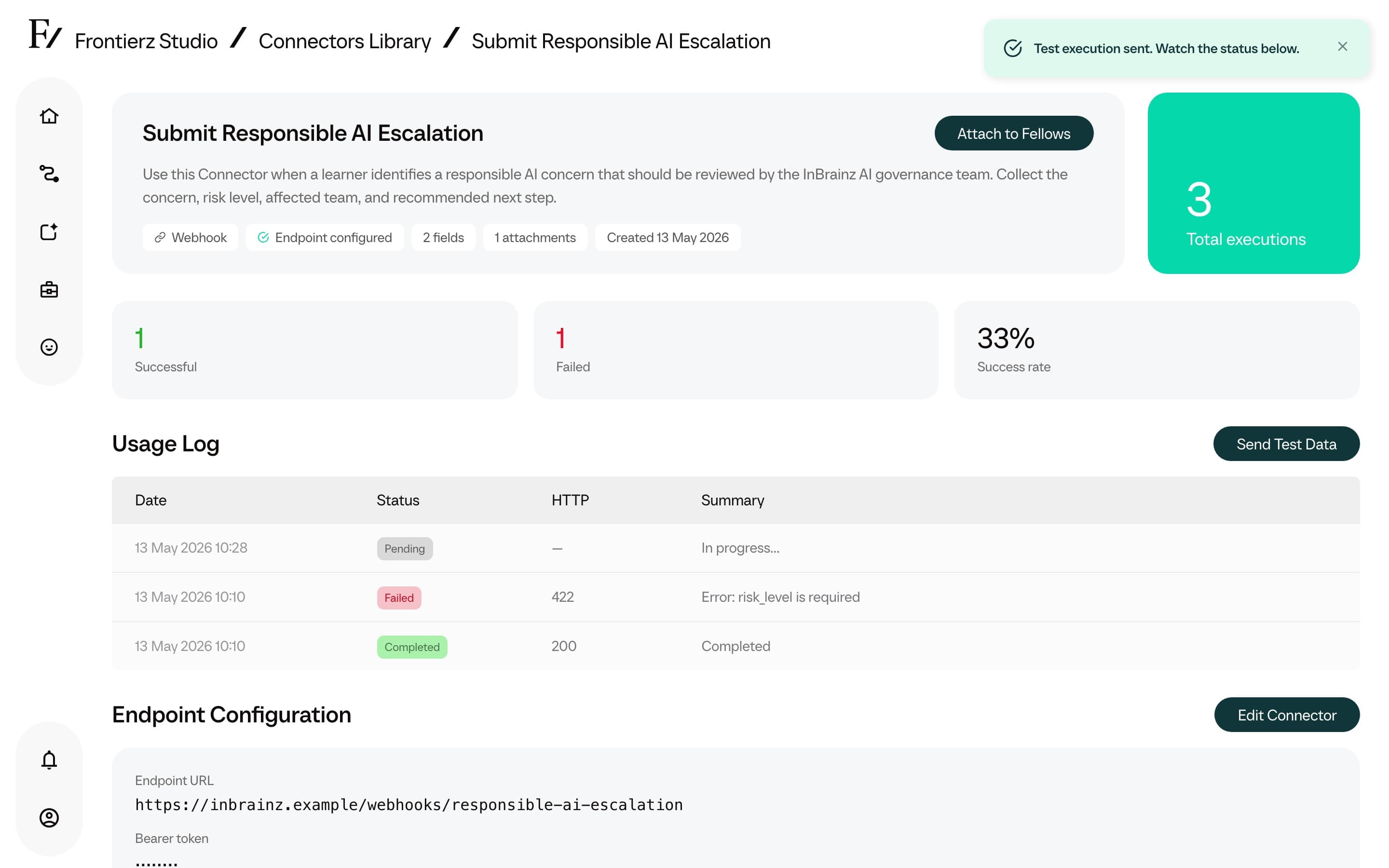

Executions
Each invocation of a Custom Connector by an AI Fellow during a conversation is recorded. The execution log provides an audit trail for verifying integration activity and diagnosing failures.
Execution log location
The Connectors Library has two views into executions:
- Company-wide. The Connectors Library index (the main page that opens by default) displays the most recent executions across every Connector in the organization. Useful when the responsible Connector is not yet known.
- For a single Connector. The Connector detail page has its own executions table with totals (succeeded, failed, pending) and a full history.
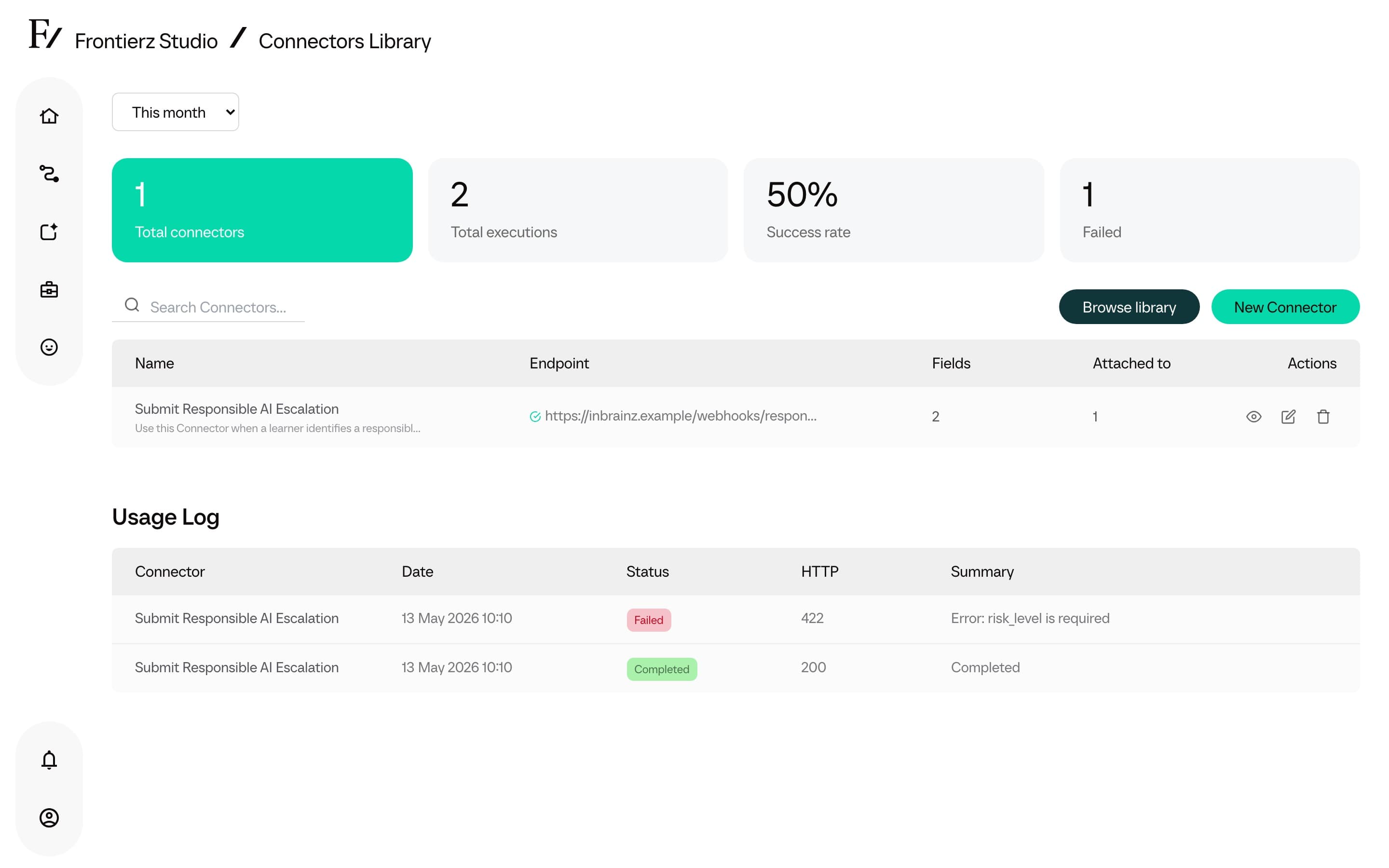
Open the executions for a Connector
Open Frontierz Studio → Connectors.
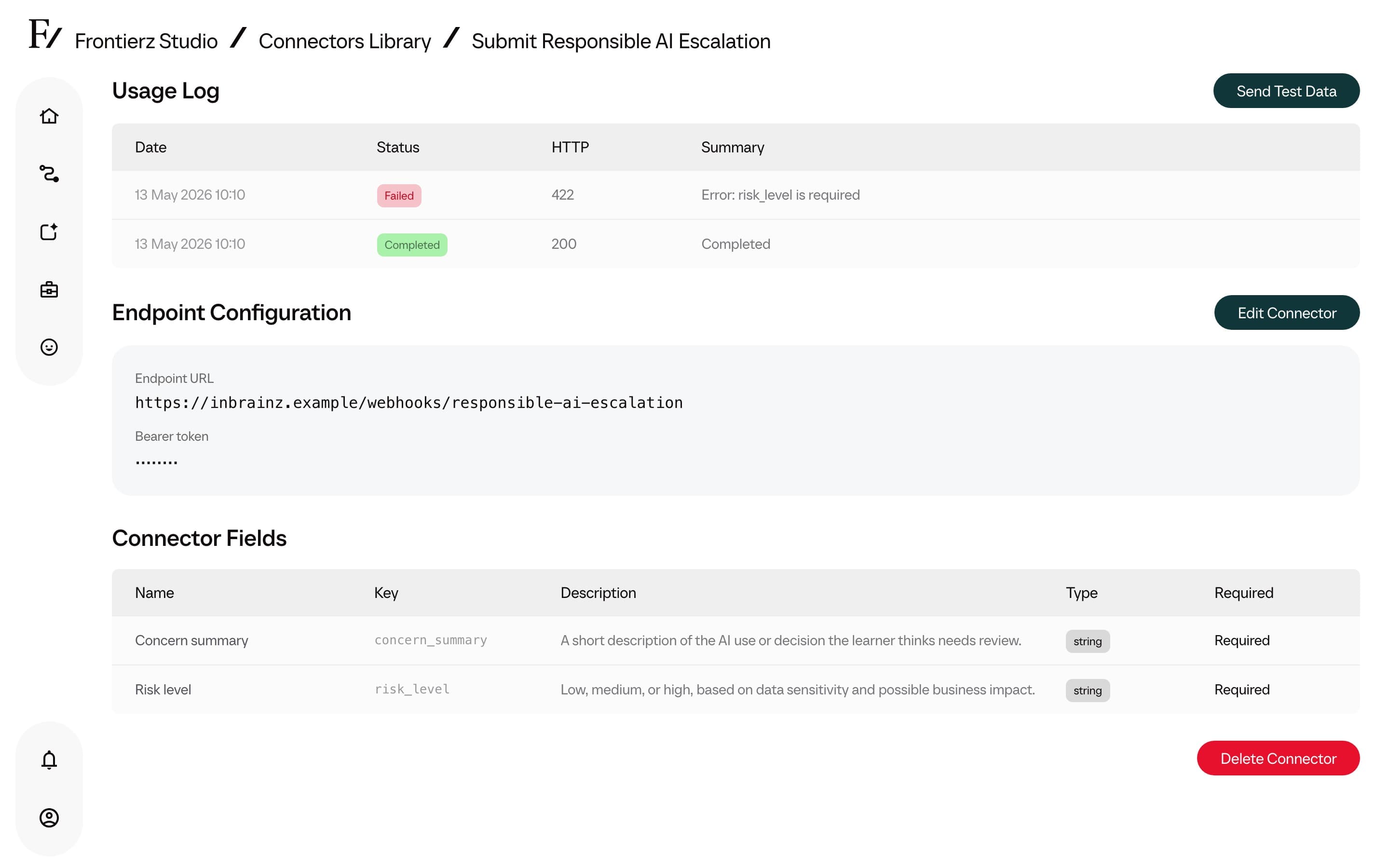
Click the Connector to inspect.
Scroll to the Executions section on the detail page. Each row links to the full payload and response.
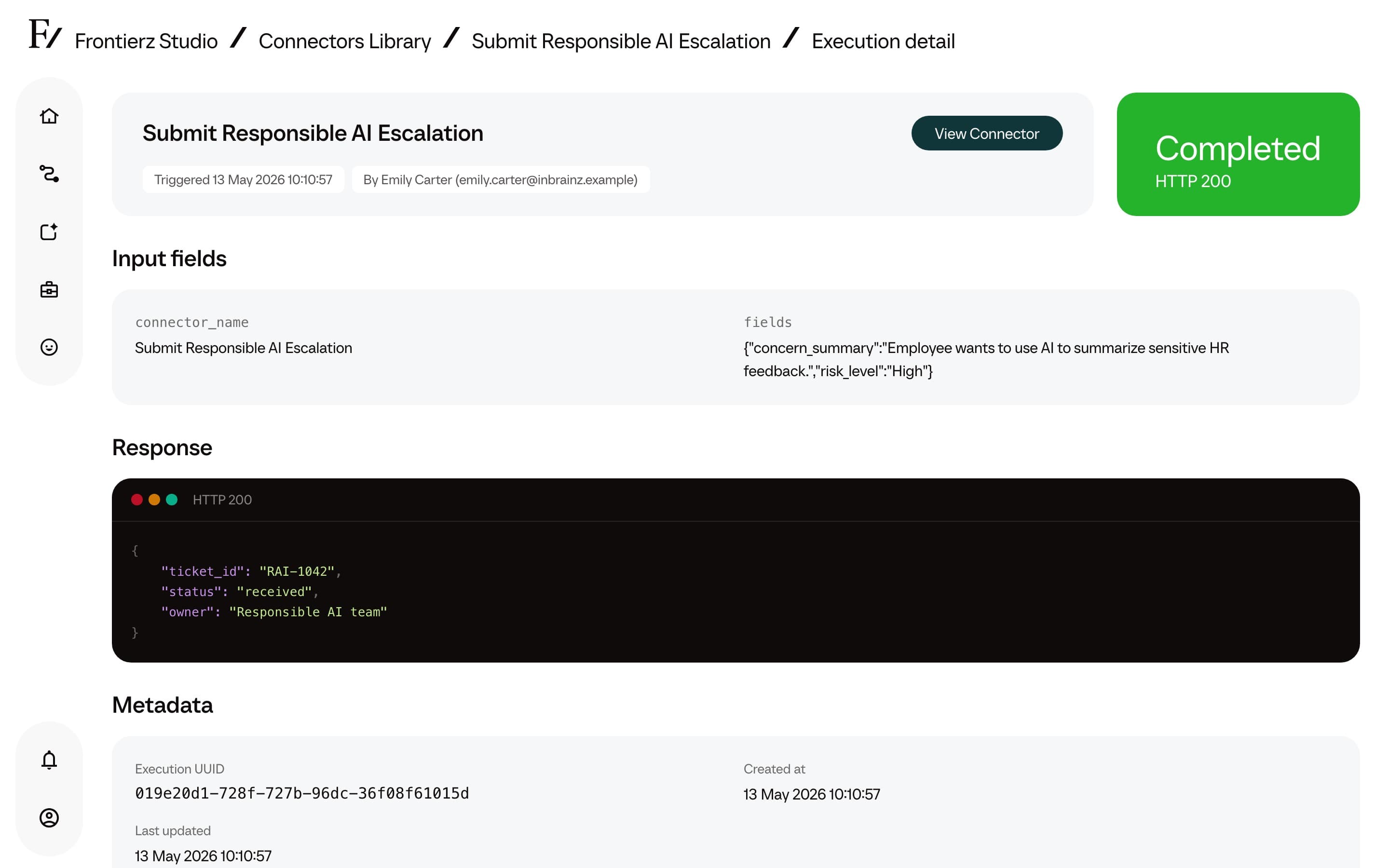
For each call, the following information is shown:
- Timestamp of the invocation.
- Input the AI Fellow gathered from the user and sent in.
- Response received from the integration.
- Status: succeeded, failed, or pending.
The executions view should be consulted when verifying a newly deployed Connector or when investigating reported failures. The log indicates whether the Connector was invoked and, if so, the response returned. A manual test run can also be sent from the same page. See Test the Connector before publication.