

Integration Guide
The Integration Guide provides the two distribution mechanisms for an AI Fellow: an embeddable widget and a direct standalone URL.
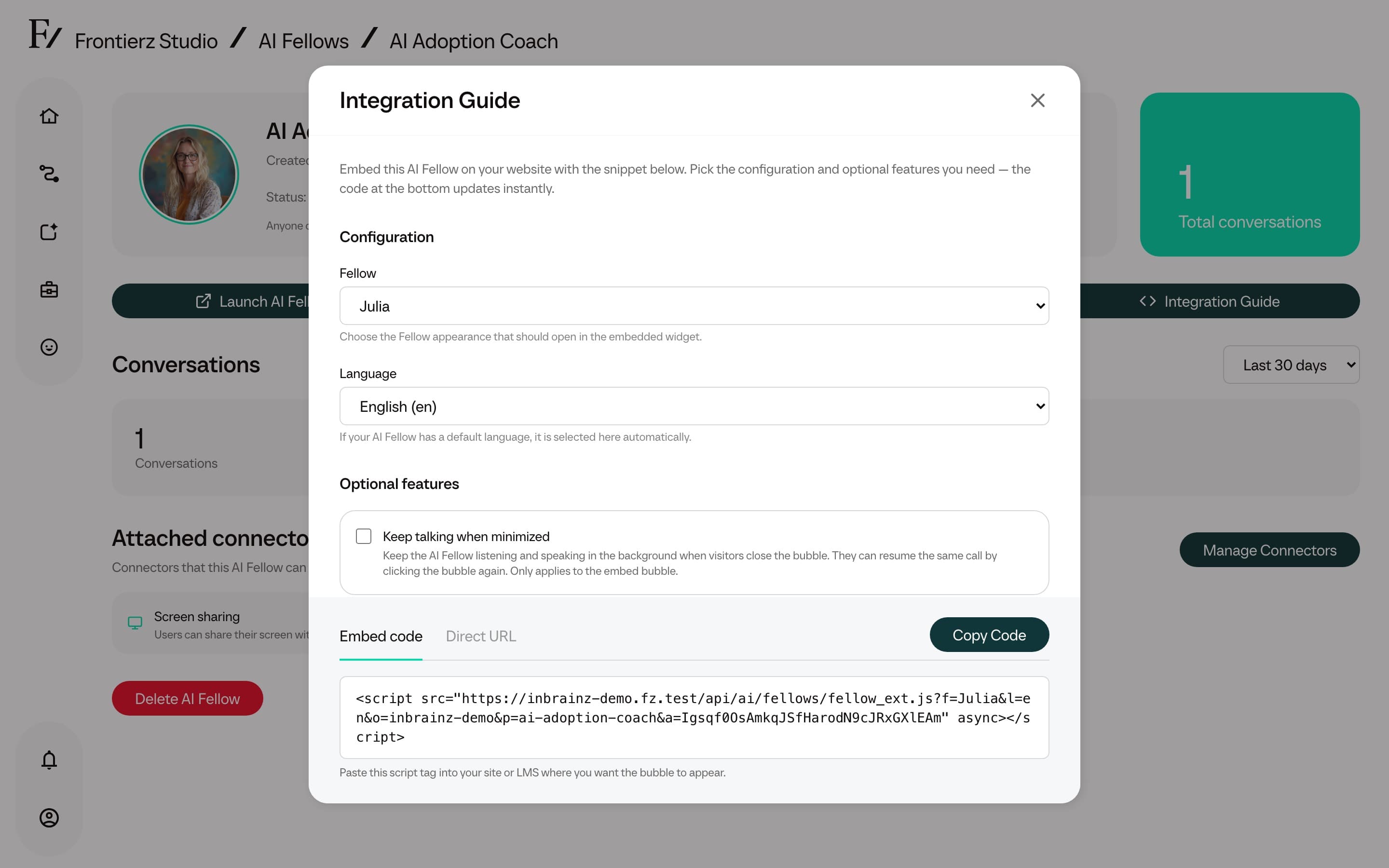
Open the guide
Click Integration Guide.
Embed tab
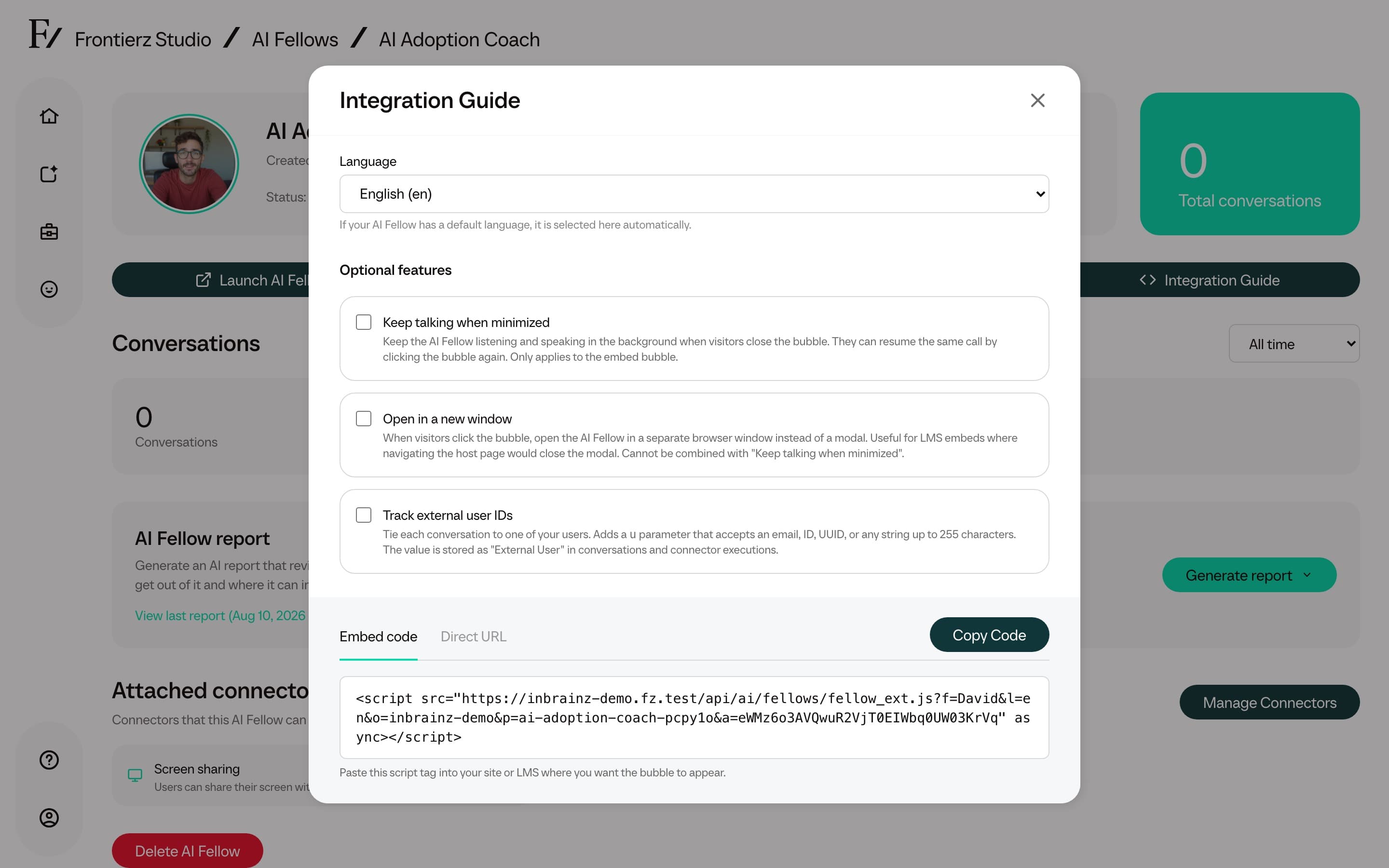
The Embed tab provides a script snippet for the customer's website, LMS, or intranet. The following options are configurable:
- The AI Fellow appearance.
- The language the AI Fellow opens with.
- Whether the widget keeps the call active when minimized through Keep talking when minimized.
- Whether the widget opens the AI Fellow in a separate browser window through Open in a new window.
- Whether the page passes an external user ID.
Keep talking when minimized and Open in a new window are mutually exclusive. Turn one option off before enabling the other.
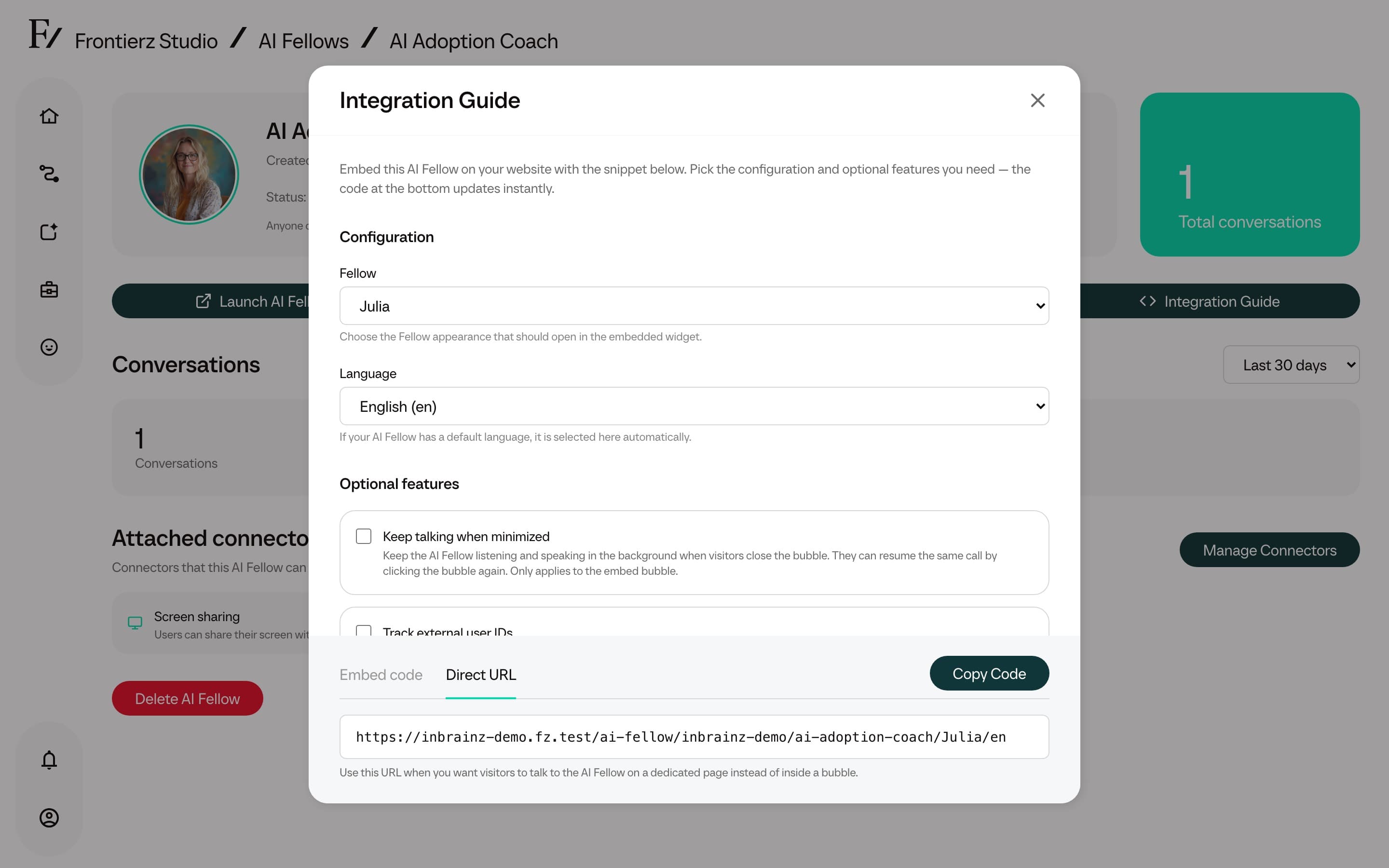
Direct tab
The Direct tab provides the standalone AI Fellow URL. Use it when users should open the AI Fellow in its own browser page rather than inside a widget.
External user IDs
External user IDs let your website or LMS associate a conversation with a user in your own system.
Copy the Embed code or Direct URL. The generated code includes the u parameter with the placeholder YOUR_USER_ID.
YOUR_USER_ID with the identifier from your system.The u value can be an email address, ID, UUID, or another string up to 255 characters. Frontierz shows the value as External User on the Conversations page and on Connector executions.
Private AI Fellows still require a signed-in user with access, even when embedded. Public AI Fellows can be opened without an account.