

Edit history
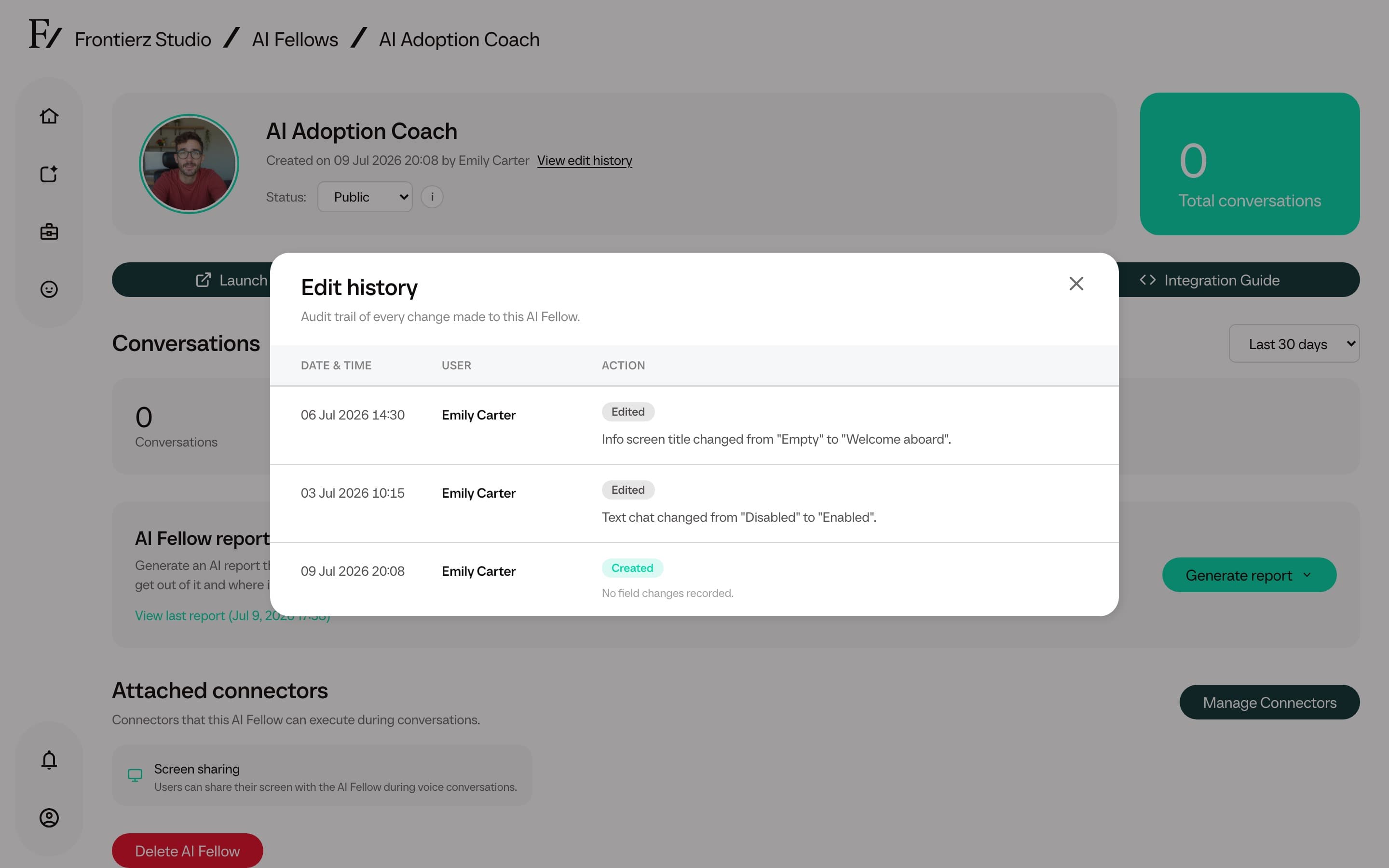
Each AI Fellow monitor page includes View edit history next to the created date. It opens a timeline of the AI Fellow's creation and later configuration changes.
Use it when a Fellow's behavior changes, when reviewing a launch, or when several admins are working on the same AI Fellow.
What the timeline shows
The timeline includes:
- When the AI Fellow was created, and by whom when that information is available.
- The admin who made each recorded change.
- The date and time of the change.
- The fields that changed, with the previous and new values summarized.
Recorded changes include status changes, title, Fellow name or purpose edits, default language changes, screen sharing or text chat changes, Info screen edits, Connector changes, Knowledge Base file count changes, and AI Simulation configuration changes.
How to use it
Open Frontierz Studio → AI Fellows.
Open the AI Fellow monitor page.
Click View edit history in the hero section.
Review the timeline. Close the modal when finished.
The edit history is an admin-facing audit aid. It does not change what users see, and users cannot open it from their own workspace.