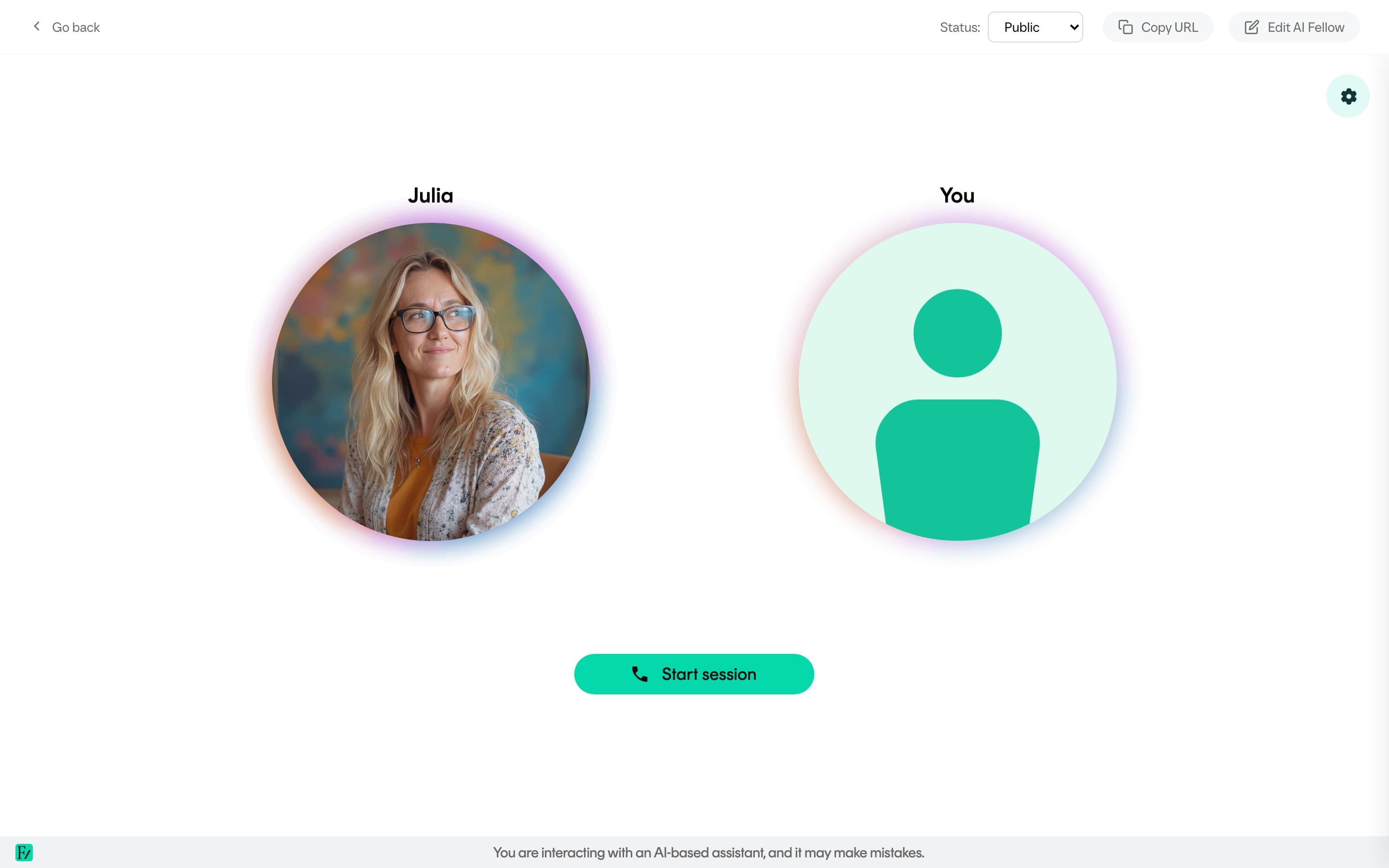

Deployment options
An active AI Fellow can be deployed using three methods. Each method addresses a different distribution scenario, and multiple methods can be used in parallel for the same AI Fellow.
| Method | Use it for |
|---|---|
| Standalone link | The unique URL of the AI Fellow. Anyone with the link opens it in a browser and starts talking: no login if the AI Fellow is Public, login required if it is Private. Useful for demos, pilots, and standalone coaching tools. |
| Embedded widget | A snippet added to a page on the customer's own site or LMS. The AI Fellow is rendered inside the existing UI. |
| Preview mode | A signed link that opens a non-active AI Fellow before publication. Used to share for review without exposing the AI Fellow to real users. |
The standalone link and the embedded widget both come from the same Integration Guide modal on the AI Fellow monitor page. The modal has two tabs:
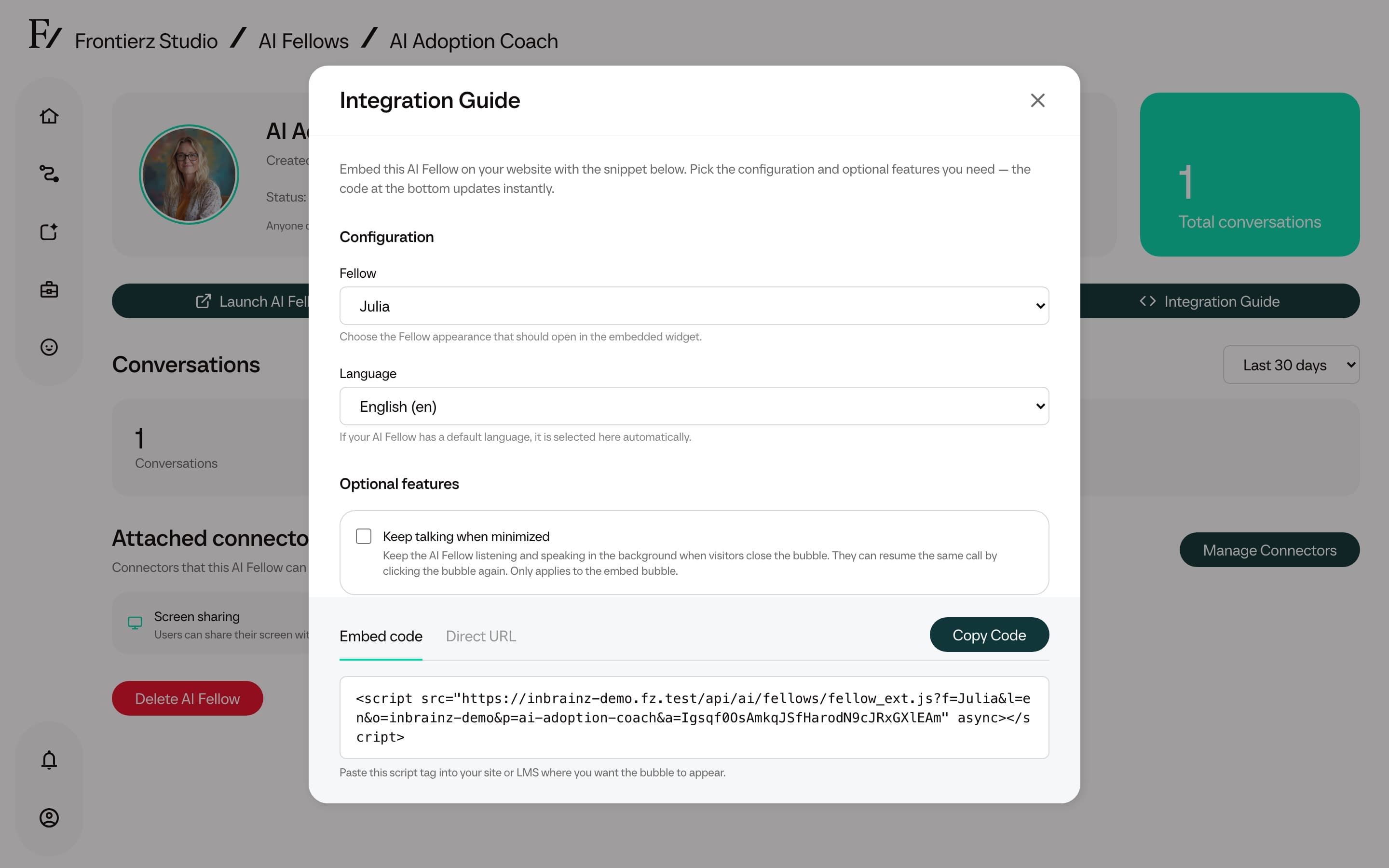
- Embed. A
<script>snippet to paste into a page on the customer's site. - Direct. The AI Fellow standalone URL, ready to share.
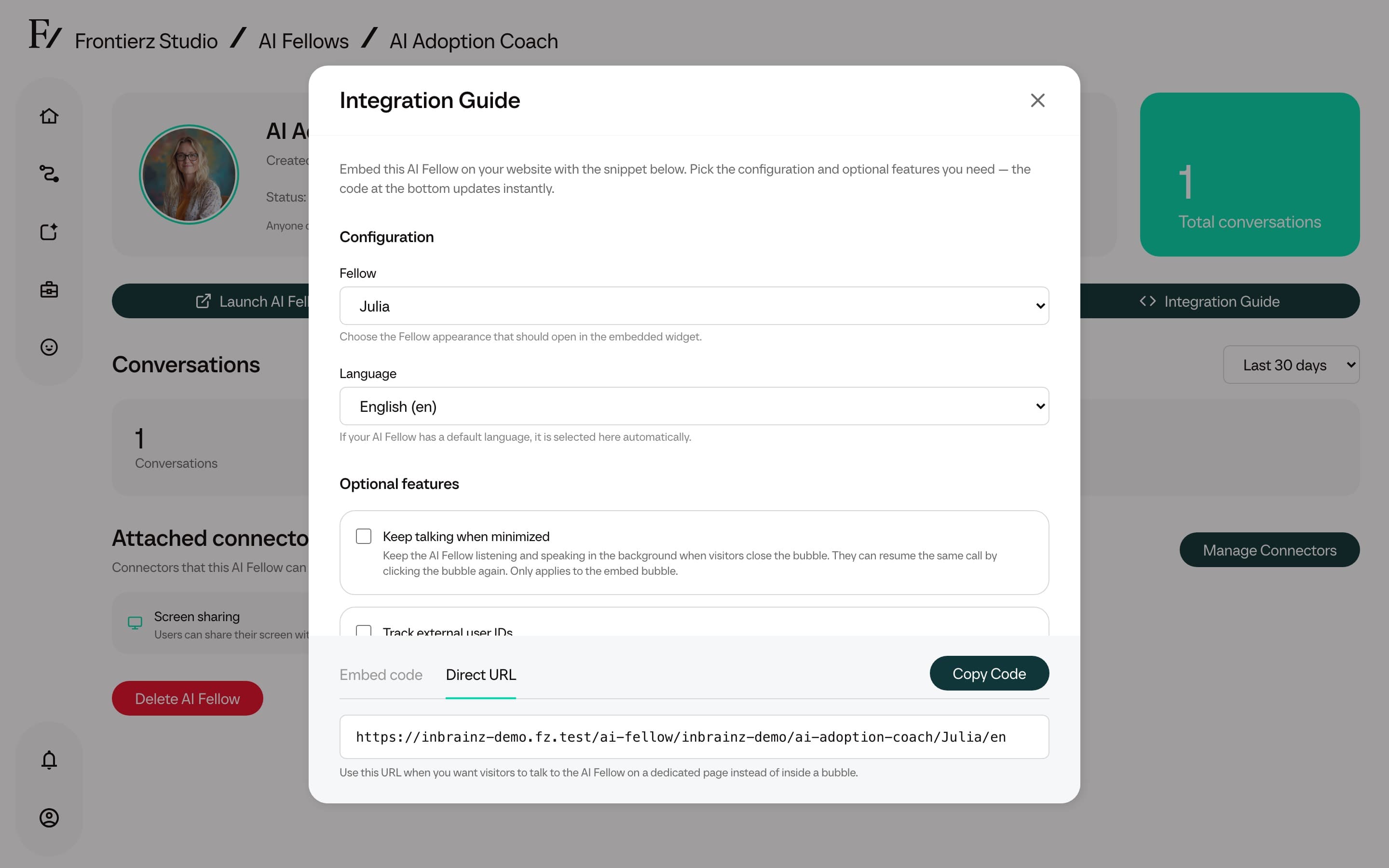
The embed can also be customized in the same modal: language, whether the widget can stay minimized between pages, and whether to track an external user ID.
External user tracking is optional. When enabled, the customer's site or LMS passes an identifier such as an email, internal ID, or UUID. Frontierz shows that identifier as the external user on conversations and Connector executions. This helps reconcile activity with external systems.
For pilot deployments, the standalone link is the recommended starting point. If the AI Fellow is Public, the user does not need to set anything up or create an account. When attributed progress tracking is required, deploy the AI Fellow inside a Learning Path or set its visibility to Private. See Visibility for details.